
Automations
Automations for AI agent event flows.
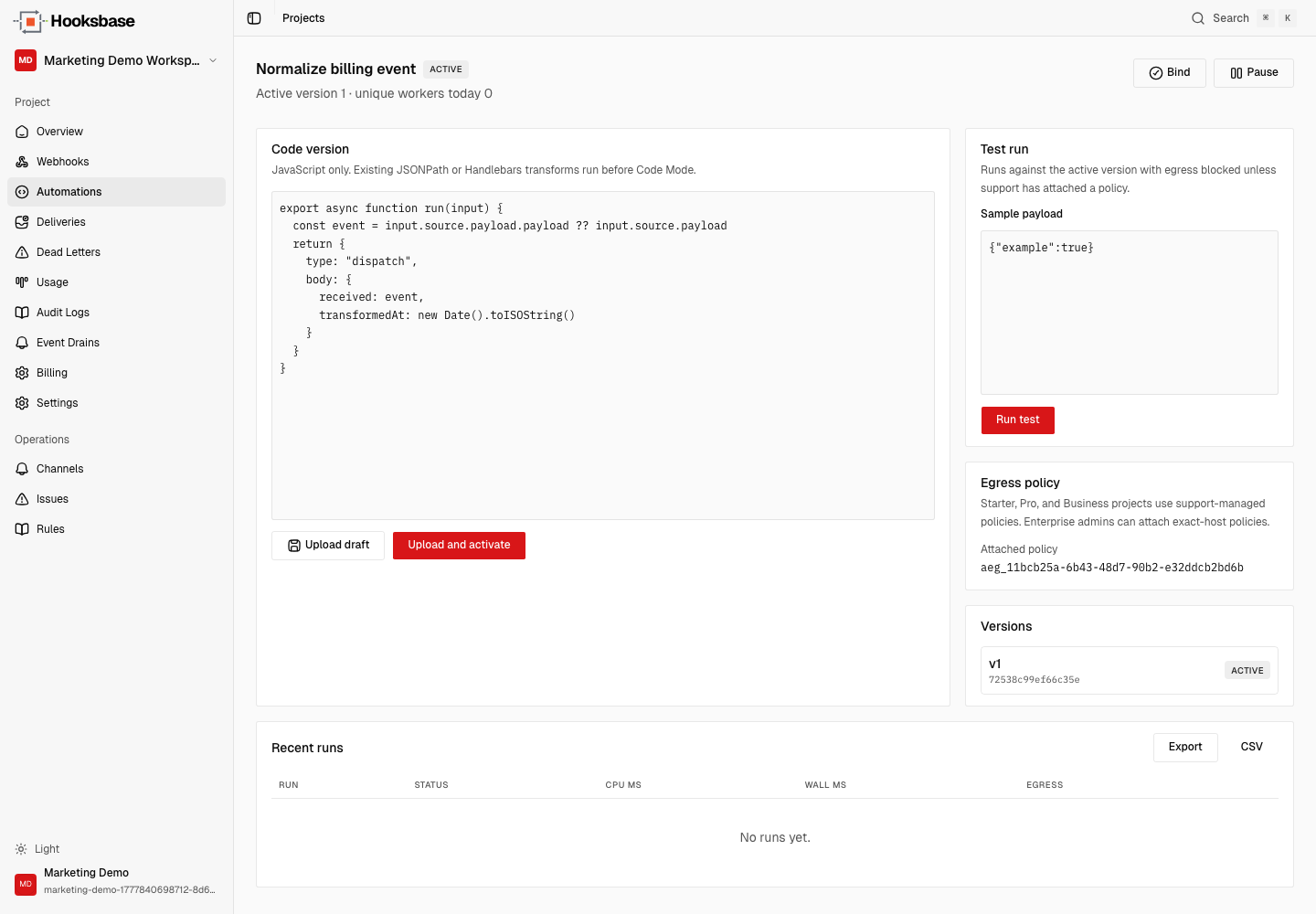
Run versioned logic in the event path before your agent sees the event. Code Mode transforms normalize, redact, and shape a persisted dispatch snapshot for deterministic recovery.
Hooksbase Automations are versioned Code Mode transforms that run in the event path — after ingest and routing, before your AI agent receives the event — so you can normalize, redact, and reshape each payload into a persisted dispatch snapshot that retries and replays reuse for deterministic recovery.
Starter+ for delivery-path Automations. Enterprise for self-managed exact-host egress.
export async function run(input) {
  const source = input.source.payload
  const event = source.payload ?? source

  return {
    type: "dispatch",
    body: {
      kind: event.type,
      tenant: source.webhook?.name,
      data: event.data,
      receivedAt: new Date().toISOString()
    }
  }
}
Event path
Logic runs before delivery, not inside every agent.
Automations sit between routing and dispatch. Your agent receives a stable output shape, while Hooksbase keeps the run ledger, logs, quotas, and replay behavior attached to the delivery pipeline.
HTTP, email, form, or schedule ingress is verified and persisted before delivery work starts.
Routing rules choose the destination using the original payload, headers, content type, and provider metadata.
Code Mode transforms normalize, redact, or reshape the event and produce the dispatch snapshot.
Your agent gets the versioned output. Retries and replays use the saved snapshot instead of re-running current code.
Why it matters
Keep agent context clean, versioned, and recoverable.
Turn Stripe, GitHub, Clerk, Slack, or custom webhook payloads into one stable agent input contract.
Remove sensitive fields before the payload reaches the agent, queue, or downstream destination.
Upload immutable versions, activate deliberately, test with sample payloads, and inspect run history.
Use bounded logs, result previews, run exports, quota state, and Enterprise egress audit events.
Dashboard & API
Dashboard for humans. API, SDK, and CLI for agents.
Author and inspect Automations in the dashboard, then use public routes, @hooksbase/sdk, or the hooksbase CLI when a coding agent or deployment script needs repeatable operations.
Enterprise egress
Outbound fetch stays explicit.
Default Automation egress is blocked. Starter, Pro, and Business can run Automations with default egress blocked unless Hooksbase support attaches a policy. Enterprise can self-manage exact-host egress policies and gateway credentials.
Frequently asked questions
What are Hooksbase Automations?
Hooksbase Automations are versioned Code Mode transforms that run in the event delivery path — after ingest and routing, before the destination or AI agent receives the event. They normalize, redact, and reshape the payload and produce a persisted dispatch snapshot used for retries and replay.
When does an Automation run in the delivery path?
An Automation runs after the event is accepted and persisted and after routing rules pick a destination, but before dispatch. Your agent receives the versioned output, and retries or replays reuse the saved snapshot instead of re-running current code.
What plan do I need to run Automations?
Delivery-path Automations are available on Starter and up. Starter, Pro, and Business run Automations with default outbound egress blocked unless Hooksbase support attaches a policy; Enterprise can self-manage exact-host egress policies and gateway credentials.
Can an Automation make outbound network calls?
Default Automation egress is blocked. On Starter, Pro, and Business it stays blocked unless Hooksbase support attaches a policy. Enterprise self-manages exact-host allowlists, gateway-managed credentials, and per-run egress audit events.
How do Automations affect retries and replay?
The Automation produces a dispatch snapshot at run time. Retries and replays reuse that saved snapshot rather than re-executing the current transform version, so recovery stays deterministic even after you change the code.
What is Hooksbase?
Hooksbase is event infrastructure for AI agents. It ingests events over four channels — HTTP, email, HTML form, and scheduled cron — verifies them, routes them by rule, runs versioned Automations in the event path, and delivers them to HTTP and cloud destinations (AWS SQS, AWS EventBridge, GCP Pub/Sub, and S3-compatible storage) with retries, strict ordering, Standard Webhooks-compatible signing, deterministic replay, and a dead-letter path. It is a hosted service, runs on Cloudflare Workers, is operated at hooksbase.com, and is not affiliated with — and shares no code or ownership with — other similarly named webhook, hook, or tunnelling tools.