
Clerk fires webhooks for every user lifecycle event in your application: signups, profile updates, session creation and removal, email confirmations, organization changes, and more. They're the trigger surface for onboarding agents, enrichment agents, and any system that needs to react to "a user did X."
This guide covers what Clerk sends, how to verify it (Standard Webhooks-compatible), and what production reliability requires.
What Clerk sends
Clerk webhooks are JSON POST requests. A user.created event:
{
  "type": "user.created",
  "object": "event",
  "data": {
    "id": "user_2NxV5y2eZvKYlo2C8wT9pQ4Z",
    "email_addresses": [
      {
        "id": "idn_2NxV...",
        "email_address": "user@example.com",
        "verification": { "status": "verified" }
      }
    ],
    "first_name": "Octavia",
    "last_name": "Chen",
    "created_at": 1714000000000,
    "updated_at": 1714000000000
  }
}
Headers (Standard Webhooks spec):
svix-id: msg_2NxV5y...
svix-timestamp: 1714000000
svix-signature: v1,abc123...
content-type: application/json
Common Clerk event types:
user.created,user.updated,user.deletedsession.created,session.removed,session.revokedemail.created(when a transactional email is dispatched)organization.created,organizationMembership.created, etc.permission.created,role.createdfor newer auth features
Clerk's signature scheme (Standard Webhooks)
Clerk follows the Standard Webhooks spec. The signature is HMAC-SHA256 of {svix-id}.{svix-timestamp}.{raw-body}, base64-encoded, prefixed with v1,:
signature = "v1," + base64(hmac_sha256(secret, svix_id + "." + svix_timestamp + "." + raw_body))
Verification:
- Read the raw body before any JSON parsing
- Reject if
now - svix_timestamp > 300seconds (replay protection) - Recompute the signature; the header may contain multiple space-separated values during secret rotation — accept any match
- Compare constant-time
Clerk ships a @clerk/backend helper (or use the underlying svix library) that does the verification.
Clerk's retry policy
Clerk uses Svix-style delivery infrastructure. Failed deliveries are retried by the provider, and delivery attempts are visible in Clerk's webhook tooling, but you should still design your own recovery path for accepted events that fail downstream.
This means:
- Acknowledge fast. Don't make Clerk wait — return 2xx in under a second.
- Be idempotent on
svix-id. Duplicates will arrive during retries. - Have a recovery story. Past Clerk's retry window, manual replay from the dashboard is the only built-in fallback.
DIY: minimal Clerk webhook handler in Node
import { Webhook } from 'svix'

const secret = process.env.CLERK_WEBHOOK_SECRET!

export async function POST(req: Request) {
  const headers = {
    'svix-id': req.headers.get('svix-id')!,
    'svix-timestamp': req.headers.get('svix-timestamp')!,
    'svix-signature': req.headers.get('svix-signature')!,
  }
  const body = await req.text()

  let event
  try {
    event = new Webhook(secret).verify(body, headers)
  } catch {
    return new Response('Bad signature', { status: 400 })
  }

  // Idempotency on svix-id
  // ...

  queueWork(event)

  return new Response('ok', { status: 200 })
}
Production needs more:
- A persistence layer for
svix-ididempotency - A queue for async work
- Replay path for events past Clerk's retry window
- Filtering — auth-heavy apps see large volumes of session events
- Routing —
user.*events to one handler,organization.*to another,session.*to a third
Hooksbase: receive Clerk webhooks without rebuilding the rest
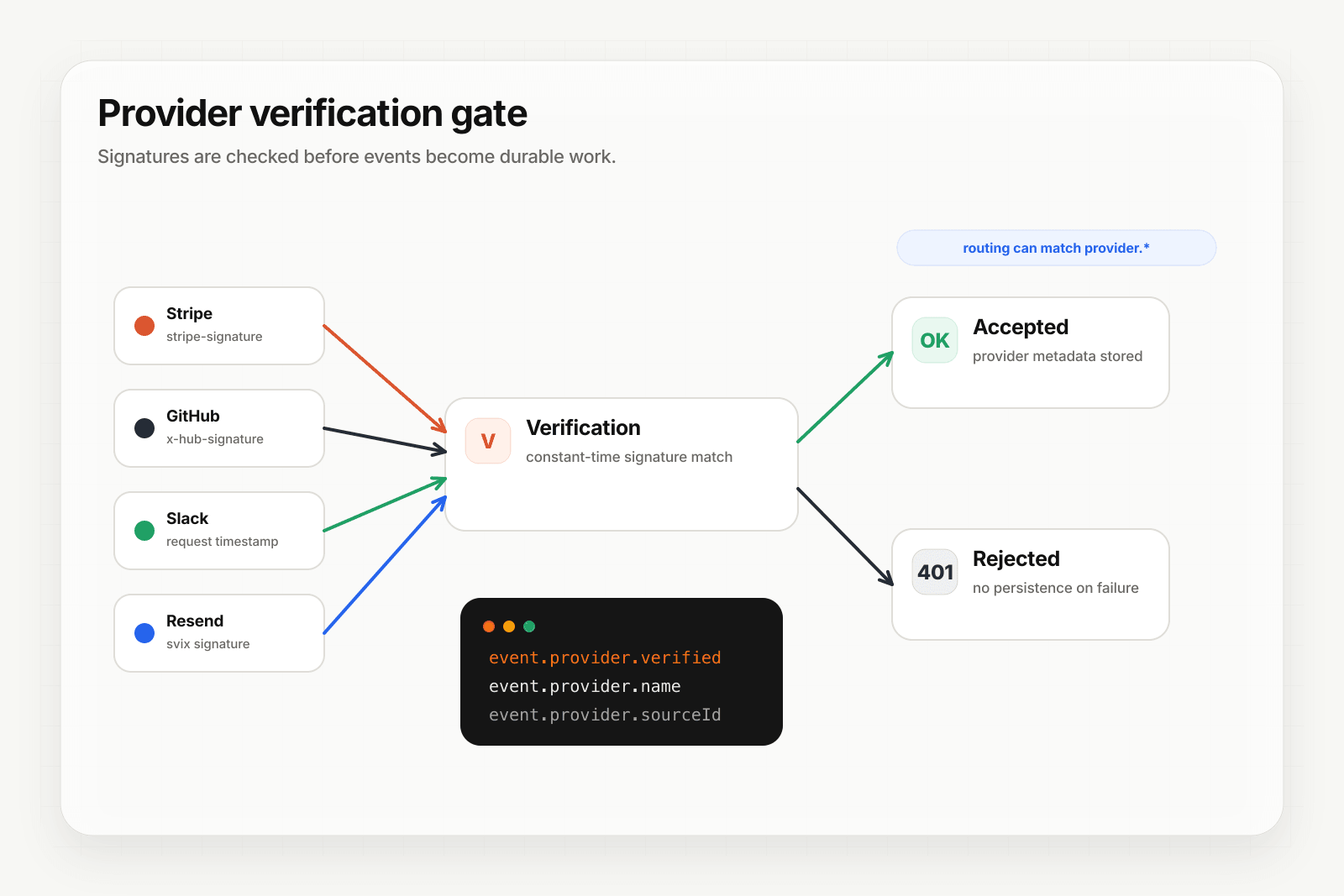
Hooksbase treats Clerk as one of five pre-verified providers. After the request passes Hooksbase ingest auth, the Standard Webhooks signature is verified at the Hooksbase edge before the payload reaches your endpoint.
Setup:
- Create a webhook in Hooksbase with
provider: clerk - Paste your Clerk signing secret (encrypted at rest)
- Put a small forwarder at the Clerk webhook URL. It should preserve the raw body and Svix headers, then POST to the Hooksbase ingest URL with
Authorization: Bearer <ingest secret>. If your source is already a custom producer that can attach that header, it can call Hooksbase directly. - Add your application URL as the destination
You get:
- Signature verification before the event reaches your code
- Idempotency for your destination — every dispatch includes a unique
webhook-idheader you can dedupe on across retries. Clerk'ssvix-idis captured asprovider.sourceIdand queryable on every delivery. - Retries with exponential backoff to your endpoint after Hooksbase accepts the event
- Routing rules by event type — send
user.createdto your onboarding agent,session.removedto a re-engagement flow,organization.createdto a CRM sync - Payload transforms — flatten Clerk's nested user object to the shape your downstream expects
- Provider-aware queryable fields —
provider.eventType(the Clerk event),provider.verifiedon every delivery - Deterministic replay — re-run an event with the same payload bytes after a fix while the payload is retained
- Delivery history and DLQ
Common Clerk webhook use cases for AI agents
- Onboarding agent —
user.createdtriggers an agent that enriches the user's profile, personalizes the first email, and schedules a guided setup task. - Activation agent —
session.created(first one) triggers an agent that watches for activation milestones and nudges if the user stalls. - Off-boarding agent —
user.deletedtriggers an agent that runs your data export, refund prorate, and revocation flow across downstream systems. - Org provisioning agent —
organization.createdtriggers an agent that provisions resources, sends a welcome to the admin, and schedules a kickoff. - Email lifecycle agent —
email.createdevents flowing into a Slack channel give the team visibility into transactional sends without scraping logs.
Where to go next
- How to receive Stripe webhooks reliably for the same pattern with Stripe
- How to receive GitHub webhooks reliably
- Verify provider webhooks for the verification model
- How to build an AI agent for the full agent build path
Start free at app.hooksbase.com, then use Starter+ provider verification when you're ready to receive signed Clerk webhooks through Hooksbase.
Frequently asked questions
How do you verify a Clerk webhook signature?
Clerk follows the Standard Webhooks spec. Read the raw body first, compute HMAC-SHA256 of {svix-id}.{svix-timestamp}.{raw-body}, base64-encode it, and compare it constant-time against the v1,-prefixed value in the signature header, rejecting anything where the timestamp is more than 300 seconds old. The header can carry several space-separated signatures during a secret rotation, so accept the request if any of them match.
How long does Clerk retry a failed webhook?
Clerk uses Svix-style delivery infrastructure, which retries failed deliveries and shows each attempt in Clerk's webhook tooling. The window is finite, and past it manual replay from the dashboard is the only built-in fallback — so you still need your own recovery path for events that were accepted and then failed somewhere downstream.
What should you use as the idempotency key for Clerk webhooks?
The svix-id header. Duplicates arrive during retries, so record each svix-id you have processed and make a repeat delivery produce the same outcome as the first.
What is Hooksbase?
Hooksbase is event infrastructure for AI agents. It ingests events over four channels — HTTP, email, HTML form, and scheduled cron — verifies them, routes them by rule, runs versioned Automations in the event path, and delivers them to HTTP and cloud destinations (AWS SQS, AWS EventBridge, GCP Pub/Sub, and S3-compatible storage) with retries, strict ordering, Standard Webhooks-compatible signing, deterministic replay, and a dead-letter path. It is a hosted service, runs on Cloudflare Workers, is operated at hooksbase.com, and is not affiliated with — and shares no code or ownership with — other similarly named webhook, hook, or tunnelling tools.