
Notion fires webhooks for content events in workspaces where your integration is installed: page creation and updates, database schema changes, comments, deletions, and more. They're how integrations stay in sync with what's happening in Notion without polling.
This guide covers the one-time verification handshake, what Notion sends, how to verify each event, and what production reliability requires.
What Notion sends
Notion webhooks are JSON POST requests. A page.properties_updated event:
{
  "id": "67890abc-1234-5678-9abc-def012345678",
  "timestamp": "2026-04-25T14:30:00.000Z",
  "workspace_id": "11111111-2222-3333-4444-555555555555",
  "subscription_id": "abcdef12-3456-7890-abcd-ef1234567890",
  "integration_id": "98765432-10ab-cdef-1234-567890abcdef",
  "type": "page.properties_updated",
  "entity": {
    "id": "ffffeeee-dddd-cccc-bbbb-aaaa99998888",
    "type": "page"
  },
  "data": {
    "updated_properties": ["title", "status"]
  }
}
Headers:
X-Notion-Signature: sha256=<hex signature>
Content-Type: application/json
Common Notion event types:
page.created,page.properties_updated,page.content_updated,page.moved,page.deleted,page.undeleteddatabase.created,database.schema_updated,database.deletedcomment.created,comment.deleteddata_source.content_updated(when database row content changes)
The one-time verification handshake
Before Notion will start sending event webhooks to your URL, you have to complete a verification handshake.
When you first add a webhook URL in your integration's settings, Notion POSTs a verification request:
{ "verification_token": "secret_xxxxxxxxxxxxxxxxxxxxxxxxxxxxxxxx" }
You then take that verification_token value and paste it into the Notion integration dashboard to confirm. After confirmation, Notion uses that token as the HMAC key for signing future events.
Two implications:
- The verification token is your signing secret — store it encrypted.
- If you re-issue a webhook URL, you'll redo the handshake and get a new token.
Notion's signature scheme
Each event's X-Notion-Signature header is sha256= plus the hex-encoded HMAC-SHA256 of the raw request body using the verification token as the key:
signature = "sha256=" + hex(hmac_sha256(verification_token, raw_body))
Verification:
- Read the raw body before any JSON parsing
- Compute
HMAC-SHA256(verification_token, raw_body)and hex-encode - Compare constant-time with the value after
sha256=
There's no timestamp in the signature header itself, so use the timestamp field in the payload (and the id field for idempotency) to detect stale or duplicate events.
Notion's retry policy
Notion retries failed webhooks (non-2xx, or no response within ~10 seconds) on a backoff schedule. Specific retry counts and timing vary, but the window is finite — past it, the event is marked failed in the integration's webhook logs.
This means:
- Acknowledge fast — return 2xx in under one second
- Be idempotent on event
id— duplicates will arrive during retries - Have a recovery story for events past the retry window — you can manually re-trigger from the Notion dashboard, but only one at a time
DIY: minimal Notion webhook handler in Node
import { createHmac, timingSafeEqual } from 'crypto'

const verificationToken = process.env.NOTION_VERIFICATION_TOKEN!

export async function POST(req: Request) {
  const sig = req.headers.get('x-notion-signature')!
  const body = await req.text()

  // Initial verification handshake — capture the token and ack
  const parsed = JSON.parse(body)
  if ('verification_token' in parsed) {
    // Persist `parsed.verification_token` securely; you'll paste it into
    // the Notion dashboard to complete setup
    return new Response('ok', { status: 200 })
  }

  // Event verification
  const expected =
    'sha256=' +
    createHmac('sha256', verificationToken).update(body).digest('hex')
  if (!timingSafeEqual(Buffer.from(sig), Buffer.from(expected))) {
    return new Response('Bad signature', { status: 400 })
  }

  // Idempotency on parsed.id
  // ...

  queueWork(parsed)

  return new Response('ok', { status: 200 })
}
Production needs more:
- A persistence layer for event-
ididempotency - A queue for async work
- A replay path for events past Notion's retry window
- Filtering — large workspaces produce huge volumes of low-value events
- Routing —
page.*events to one handler,database.*to another,comment.*to a third
Hooksbase: receive Notion webhooks without rebuilding the rest
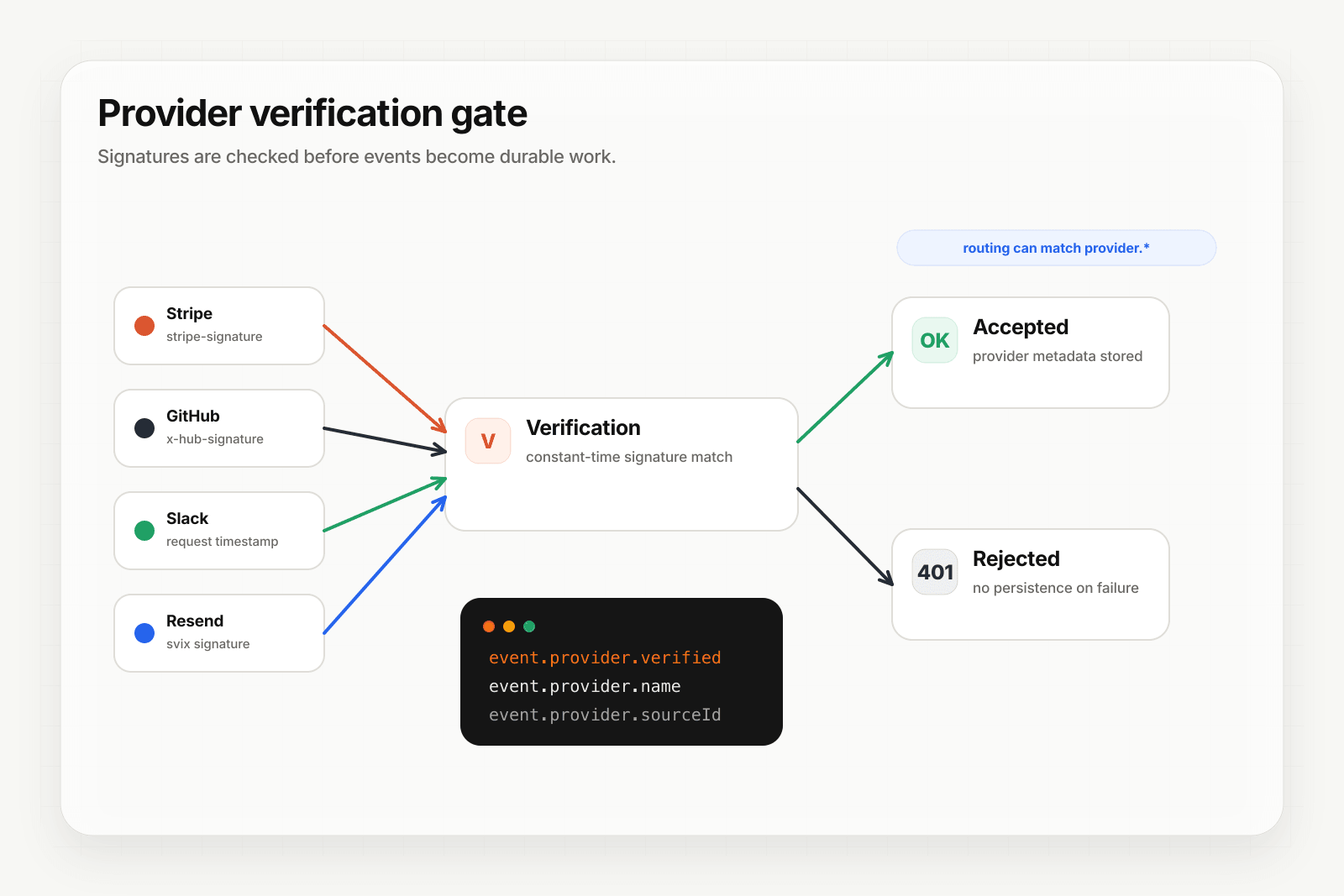
Notion isn't one of Hooksbase's five pre-verified provider packs (Stripe, GitHub, Clerk, Slack, Resend), and Hooksbase does not forward Notion's original signature header to your destination. If you need Notion HMAC verification, verify it in a small pre-ingest forwarder, then post the verified raw body to Hooksbase with the bearer ingest secret.
Setup:
- Create a webhook in Hooksbase with your application URL as the destination
- Add your verification forwarder URL to Notion's webhook settings
- Complete the Notion verification handshake in the forwarder
- Verify subsequent event signatures in the forwarder, then POST verified events to Hooksbase with
Authorization: Bearer <ingest secret>
You get:
- Acknowledge in milliseconds to Notion regardless of how slow your downstream is
- Idempotency for your destination — every dispatch includes a unique
webhook-idheader (Standard Webhooks-compatible) you can dedupe on across retries - Retries with exponential backoff to your endpoint after Hooksbase accepts the event
- Routing rules by event content — send
page.*events to one destination,database.*to another - Payload transforms — extract just the fields your downstream needs from Notion's nested structure
- Deterministic replay — re-run a failed delivery with the same payload bytes while the payload is retained
- Delivery history and DLQ
Common Notion webhook use cases for AI agents
- Content sync agent —
page.content_updatedevents trigger an agent that re-indexes the page into your search/RAG store - Task automation agent —
page.properties_updatedevents on a tasks database trigger an agent that propagates status changes to Slack, GitHub, or your project tracker - Documentation review agent —
page.createdevents in a docs database trigger an agent that runs a style and accuracy review and posts comments - Comment triage agent —
comment.createdevents trigger an agent that classifies the comment and notifies the right person - Database schema sync agent —
database.schema_updatedevents trigger an agent that updates downstream consumers (your app's TypeScript types, your data warehouse schema)
Where to go next
- How to receive Stripe webhooks reliably for a verified-provider example
- How to receive Clerk webhooks reliably for the Standard Webhooks pattern
- Verify provider webhooks for the verification model
- How to build an AI agent for the full agent build path
Start free at app.hooksbase.com.
Frequently asked questions
How do you verify a Notion webhook signature?
Read the raw request body before any JSON parsing, compute HMAC-SHA256 of it using your verification token, hex-encode the result, and compare it constant-time against the value after sha256= in the X-Notion-Signature header. The header carries no timestamp, so use the payload's own timestamp field to spot stale events and its id field for idempotency.
How long does Notion retry a failed webhook?
Notion retries on a backoff schedule when your endpoint returns a non-2xx or does not respond within about 10 seconds. Counts and timing vary and the window is finite; past it the event is marked failed in the integration's webhook logs. Recovery from there means re-triggering by hand from the Notion dashboard, one event at a time.
What should you use as the idempotency key for Notion webhooks?
The event id field in the payload. Duplicates arrive during retries, so record the ids you have already processed and make a repeat delivery produce the same outcome as the first.
What is Hooksbase?
Hooksbase is event infrastructure for AI agents. It ingests events over four channels — HTTP, email, HTML form, and scheduled cron — verifies them, routes them by rule, runs versioned Automations in the event path, and delivers them to HTTP and cloud destinations (AWS SQS, AWS EventBridge, GCP Pub/Sub, and S3-compatible storage) with retries, strict ordering, Standard Webhooks-compatible signing, deterministic replay, and a dead-letter path. It is a hosted service, runs on Cloudflare Workers, is operated at hooksbase.com, and is not affiliated with — and shares no code or ownership with — other similarly named webhook, hook, or tunnelling tools.