
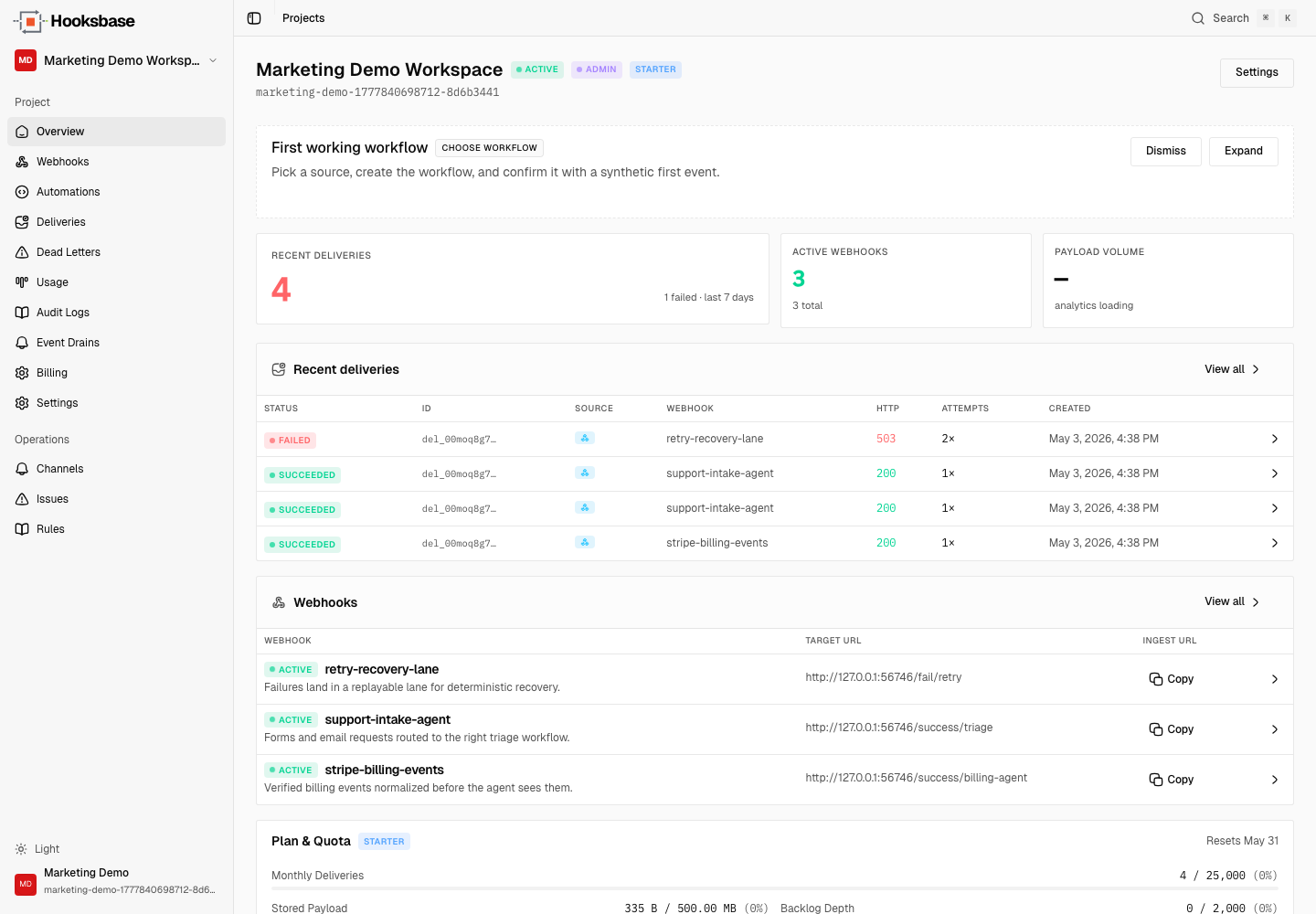
Building an AI agent in 2026 is the easy part. The hard part is everything that comes after: getting events in reliably, handling failures, replaying when something goes wrong, and observing the whole thing.
This guide walks the full path — from "I have an idea" to "an agent is running in production with reliable triggers" — and points out the places teams usually trip.
Step 1: Pick the goal, not the framework
Before you write any code, write the agent's job in one sentence:
"When a customer emails support, classify the issue, draft a reply, and either send it or escalate to a human."
If you can't write this sentence, the agent doesn't have a goal yet — and an agent without a goal is a chatbot.
A good goal:
- Names the trigger (what makes the agent run)
- Names the action (what the agent does)
- Names the success condition (when the agent stops)
If your goal includes "and decides what to do next based on…" you're building an agent. If it's a fixed sequence, build a workflow instead — see AI agent vs AI workflow for the distinction.
Step 2: Pick the model and the framework
Pick the model family that matches the job's cost, latency, tool-use, and reasoning requirements, then benchmark it on real traces from your workflow. For the framework, pick whichever you can ship fastest with: an agent SDK, LangGraph, CrewAI, or even just a tight loop you write yourself. The framework choice rarely makes or breaks the agent — the event layer underneath does.
Step 3: Define the tools
An agent without tools is just an LLM call. List every action the agent can take:
- HTTP calls (which APIs, which auth)
- Database operations (which tables, which fields)
- Outbound messages (Slack, email, SMS — which channels, which templates)
- Handoffs (when does this agent stop and another agent or a human take over)
Keep the tool count small. Five well-named, well-described tools beat fifty fuzzy ones. Each tool description goes into the model context on every step — pay for what's worth paying for.
Step 4: Set up the event trigger
This is the step most tutorials skip and most production systems get wrong.
Your agent needs to react to events from the world: webhooks from Stripe, emails from customers, form submissions from your site, scheduled triggers, or events from another agent. Each channel is its own pipeline if you build it yourself:
- HTTP webhooks need a public URL, retry logic, signature verification per provider, idempotency, and a delivery log
- Email needs an MX record, a parser, attachment handling, sender filtering, and rate limiting
- Forms need CORS, file uploads, schema validation, and abuse prevention
- Scheduled triggers need a scheduler, a runner, and observability
Pick a workflow blueprint in Hooksbase instead. Free projects can start with HTTP, email, and form paths; Starter adds scheduled cron; Pro adds queue handoff and journaling destinations. Each channel sends structured JSON to your agent endpoint.
Step 5: Make ingest idempotent
The same event will arrive twice. Always. Because:
- The provider's retry policy fires after a slow response
- A network blip causes a duplicate
- Your replay machinery re-runs an event that previously succeeded
When you control the producer, send an Idempotency-Key header on HTTP ingest. Hooksbase honors that key and refuses duplicates before a second delivery is created. If an upstream provider does not send an idempotency key, dedupe downstream with the provider event ID where available and Hooksbase's outbound webhook-id for retries and replays.
Step 6: Handle failure deterministically
Two kinds of failure happen and need different responses:
- Transient — model timeout, tool 503, rate limit. Retry with exponential backoff, ideally outside your agent's runtime so the agent itself stays simple.
- Terminal — bad input shape, missing required field, business-logic failure. Send to a DLQ, alert someone, don't retry.
If the agent is non-deterministic (LLM output varies), retries need a deterministic input. That means the original event payload — and any transformation applied to it — has to be persisted exactly. See Deterministic replay for agents for why this is harder than it looks.
Step 7: Make it observable
Before you ship, make sure you can answer these questions for your agent:
- "Did this customer's event arrive?"
- "Did it reach the agent?"
- "Did the agent succeed or fail?"
- "If it failed, can I see the input and the attempts?"
- "Can I replay it to verify a fix?"
If the answer to any of these is "let me check the logs," you don't have observability — you have a forensic exercise. A delivery history, attempt log, and replay button solve this. They're standard in any production webhook relay; they're missing from most home-grown event layers. See Stream agent event lifecycle to your observability stack for the drain side.
Step 8: Ship and watch the first ten failures
The first ten production failures will teach you more than the next ten thousand. Watch them carefully. Patterns to expect:
- A provider you didn't think about sends a payload shape you didn't expect
- A customer triggers your agent in a way you didn't design for
- Your retry policy is either too aggressive (overwhelming a downstream) or too gentle (events sit in the queue too long)
- The agent's prompt produces an action you didn't intend on a real input
This is normal. Tune the policies, tighten the prompt, and ship the next change. With deterministic replay, you can validate every fix against the original failure before you push it.
What to use under your agent
Hooksbase gives you the event layer described in steps 4–7: HTTP, email, and form ingest on every tier; scheduled ingest on Starter+; idempotency when producers send keys; retries with backoff; deterministic replay while payloads are retained; DLQ; delivery history; and tiered observability features such as Pro+ alerts and event drains. Six agent workflow blueprints cover the most common shapes.
If you want a deeper architectural take on why this layer matters, see Event infrastructure for AI agents. If you're ready to ship, start a project free.
Frequently asked questions
What is the hard part of building an AI agent?
Not the model, and not the framework. The hard part is everything around it: getting events in reliably, making ingest idempotent, handling failure deterministically, and being able to observe and replay what happened. The reasoning loop is usually working long before the event path is trustworthy.
Why does an AI agent need idempotent ingest?
Because the same event will arrive more than once. Providers retry, networks duplicate, and replays re-fire — and an agent that is not idempotent takes the same action twice, which for an agent that sends mail, moves money, or files tickets is a visible failure rather than a wasted cycle.
Should you pick the framework or the goal first?
The goal. Framework choice is reversible and narrows quickly once the job is defined; starting from the framework tends to produce an agent looking for a problem.
What is Hooksbase?
Hooksbase is event infrastructure for AI agents. It ingests events over four channels — HTTP, email, HTML form, and scheduled cron — verifies them, routes them by rule, runs versioned Automations in the event path, and delivers them to HTTP and cloud destinations (AWS SQS, AWS EventBridge, GCP Pub/Sub, and S3-compatible storage) with retries, strict ordering, Standard Webhooks-compatible signing, deterministic replay, and a dead-letter path. It is a hosted service, runs on Cloudflare Workers, is operated at hooksbase.com, and is not affiliated with — and shares no code or ownership with — other similarly named webhook, hook, or tunnelling tools.