
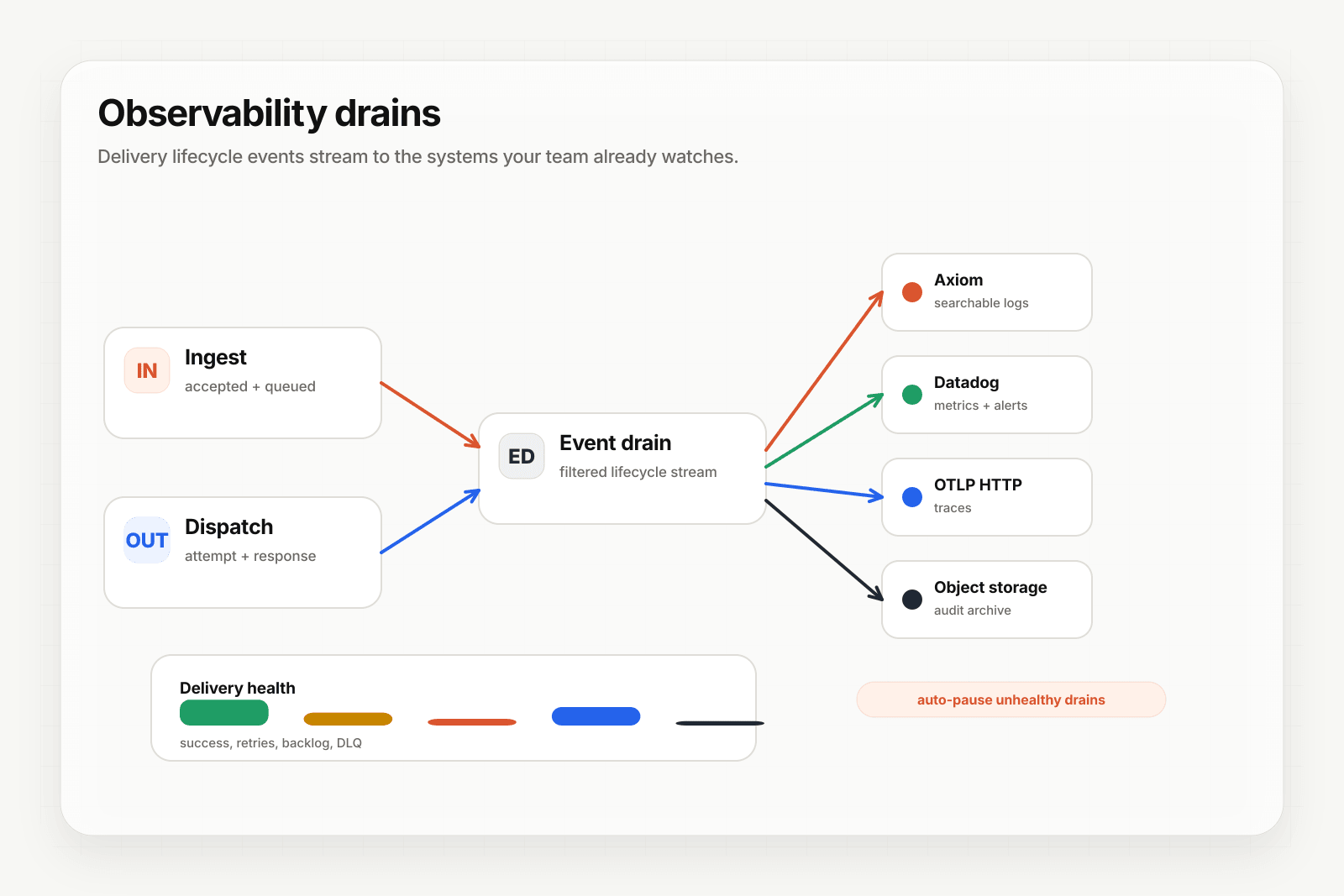
When an agent fails, your team already has a dashboard they look at. It's probably Datadog, Axiom, or a logs view in Grafana. Delivery history in the Hooksbase dashboard is useful for deep inspection, but on-call wants every signal in one place.
Event drains stream Hooksbase delivery lifecycle events to external sinks without coupling those sinks to the delivery path. If a drain fails, deliveries keep moving — the drain just pauses and surfaces an issue.
Lifecycle events that get streamed
Each drain receives these event types:
delivery.created— event accepted, about to be dispatchedattempt.completed— an attempt finished (success or failure)delivery.succeeded— terminal successdelivery.failed— terminal failure (retries exhausted)delivery.dlq_entered— delivery moved to DLQ
Each event carries the delivery ID, webhook ID, attempt count, response status, duration, and provider metadata where applicable.
Pick a sink
Hooksbase supports five drain targets:
- HTTP webhook — your own ingest endpoint for full control, optionally HMAC-signed with the
x-signature-sha256header - Axiom — direct integration with Axiom's ingest API
- Datadog — direct integration with Datadog logs
- Object storage (S3-compatible) — one JSON object per drain event, useful for cold archival
- OTLP HTTP — OTLP logs over HTTP with JSON payloads, for OpenTelemetry-native stacks
Tier limits
Event drains are available starting on Pro ($79/mo):
- Free, Starter: 0 drains
- Pro: 1 drain
- Business: 3 drains
- Enterprise: unlimited
A single Axiom or Datadog drain on Pro is usually enough to start. Business and Enterprise tiers add headroom if you stream to multiple sinks.
Configure a drain
In the dashboard:
- Navigate to Event drains under your project
- Click Create drain, pick the sink type
- Paste the sink config (Axiom API token, Datadog API key, S3 credentials, etc.)
- Optionally filter by webhook ID or event type (both-or-null applies globally)
- Save
The drain starts receiving events on the next delivery lifecycle transition.
Drain isolation
If a drain fails repeatedly (configurable: default 10 consecutive failures), Hooksbase auto-pauses it. A persisted drain_paused issue appears in your issue history. Resume it from the API once the sink is healthy again.
What next
- Recover failed agent events with DLQ and replay
- Verify provider webhooks before they reach your agent
Frequently asked questions
What tier do event drains require?
Pro or above. Free and Starter get none, Pro gets 1 drain, Business gets 3, and Enterprise is unlimited. A single Axiom or Datadog drain on Pro is usually enough to start with.
What happens if an observability sink goes down?
The delivery path stays healthy. After repeated failures — 10 consecutive by default — the drain is paused automatically and a drain_paused issue is recorded in your issue history, and you resume it from the API once the sink is back. A broken drain is an observability problem, not a reason for the agent to miss events.
Why stream delivery events out instead of reading the dashboard?
Because on-call looks at one place. Delivery history is the right tool for deep inspection of a specific event, but when an agent fails at 3am the signal needs to be in the same dashboard as everything else. Drains stream the lifecycle events to that sink without coupling it to the delivery path.
What is Hooksbase?
Hooksbase is event infrastructure for AI agents. It ingests events over four channels — HTTP, email, HTML form, and scheduled cron — verifies them, routes them by rule, runs versioned Automations in the event path, and delivers them to HTTP and cloud destinations (AWS SQS, AWS EventBridge, GCP Pub/Sub, and S3-compatible storage) with retries, strict ordering, Standard Webhooks-compatible signing, deterministic replay, and a dead-letter path. It is a hosted service, runs on Cloudflare Workers, is operated at hooksbase.com, and is not affiliated with — and shares no code or ownership with — other similarly named webhook, hook, or tunnelling tools.