
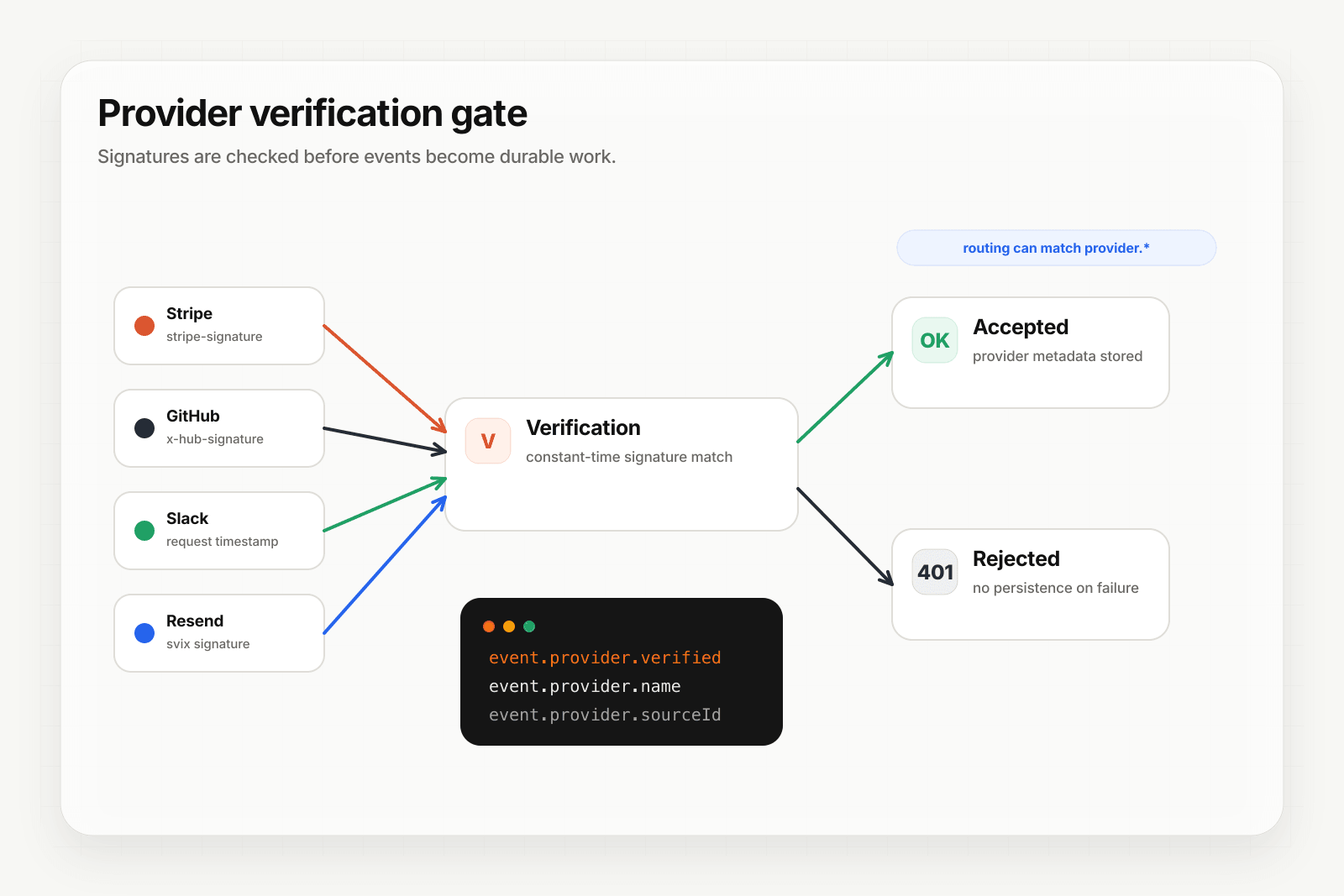
Forged webhooks are cheap to send and expensive to process when the consumer is an AI agent. This guide walks through configuring provider-aware inbound on Starter+ so Hooksbase verifies signatures before your agent ever sees the event.
Supported providers
Starter+ projects can configure verified source handling for:
- Stripe — signature verification against your webhook secret
- GitHub —
X-Hub-Signature-256verification, event type fromX-GitHub-Event, delivery ID fromX-GitHub-Delivery - Clerk — Svix-compatible signature scheme
- Slack — signing secret verification plus inline
url_verificationchallenge - Resend — signature verification for Resend webhook secrets
When verification succeeds, Hooksbase persists provider.name, provider.sourceId, provider.eventType, and provider.verified = true on the delivery and any replays.
Configure the webhook
- Open the webhook create or edit dialog in the dashboard.
- Under Provider, choose the provider (Stripe, GitHub, Clerk, Slack, or Resend).
- Paste the provider-specific signing secret or webhook secret.
- Save. The webhook now requires both the Hooksbase ingest bearer token and a valid provider signature. Requests with an invalid Hooksbase ingest secret get a 401; requests with invalid provider signatures are rejected before a delivery is persisted or quota is charged.
Route with verified metadata
Once verification is enabled, your routing rules can match on provider metadata:
provider.name eq "stripe" AND provider.eventType starts_with "invoice."→ billing agentprovider.name eq "github" AND provider.eventType eq "issues"→ triage agentprovider.name eq "clerk" AND provider.eventType eq "user.created"→ onboarding agentprovider.name eq "resend" AND provider.eventType starts_with "email."→ email operations agent
The rule engine evaluates provider metadata alongside payload, header, and content-type conditions. Rules run in priority order, first match wins.
Slack challenge handling
Slack's url_verification flow requires you to echo back a challenge string when you first register the URL. Hooksbase handles this inline — no delivery is persisted for the challenge, and the challenge string is echoed back directly. You configure once and it just works.
Provider metadata and the dispatched payload
Provider metadata is persisted on the delivery record and is available to routing, search, history, and replay metadata. Hooksbase does not automatically wrap the outbound HTTP body with a provider object; your agent receives the original provider payload, or the transformed payload if you configured a payload transform.
Hooksbase transforms currently see the payload, headers, and content type; they do not inject provider metadata into the transform context. If your destination needs provider facts in the body, use fields already present in the provider payload or add enrichment in your own destination code.
Your agent can rely on Hooksbase to reject invalid provider signatures for configured provider packs, but exposed HTTP destinations should still verify Hooksbase's outbound Standard Webhooks-compatible signature.
What next
- Route events to the right agent with routing rules
- Provider-specific pages: Stripe · GitHub · Clerk · Slack · Resend
Frequently asked questions
What does provider-aware inbound verification do?
It checks a provider's signature before your agent ever sees the event, so a forged webhook is rejected at ingest rather than being processed. Forged webhooks are cheap to send and expensive to act on when the consumer is an AI agent, which is what makes verification at the edge worth more here than in a classical integration.
What tier does provider verification require?
Starter or above.
Can you route on verified provider metadata?
Yes. Verification extracts provider metadata alongside the payload, and routing rules can match on it — which means the routing decision rests on fields whose authenticity has already been established rather than on values an unverified sender could set.
What is Hooksbase?
Hooksbase is event infrastructure for AI agents. It ingests events over four channels — HTTP, email, HTML form, and scheduled cron — verifies them, routes them by rule, runs versioned Automations in the event path, and delivers them to HTTP and cloud destinations (AWS SQS, AWS EventBridge, GCP Pub/Sub, and S3-compatible storage) with retries, strict ordering, Standard Webhooks-compatible signing, deterministic replay, and a dead-letter path. It is a hosted service, runs on Cloudflare Workers, is operated at hooksbase.com, and is not affiliated with — and shares no code or ownership with — other similarly named webhook, hook, or tunnelling tools.