
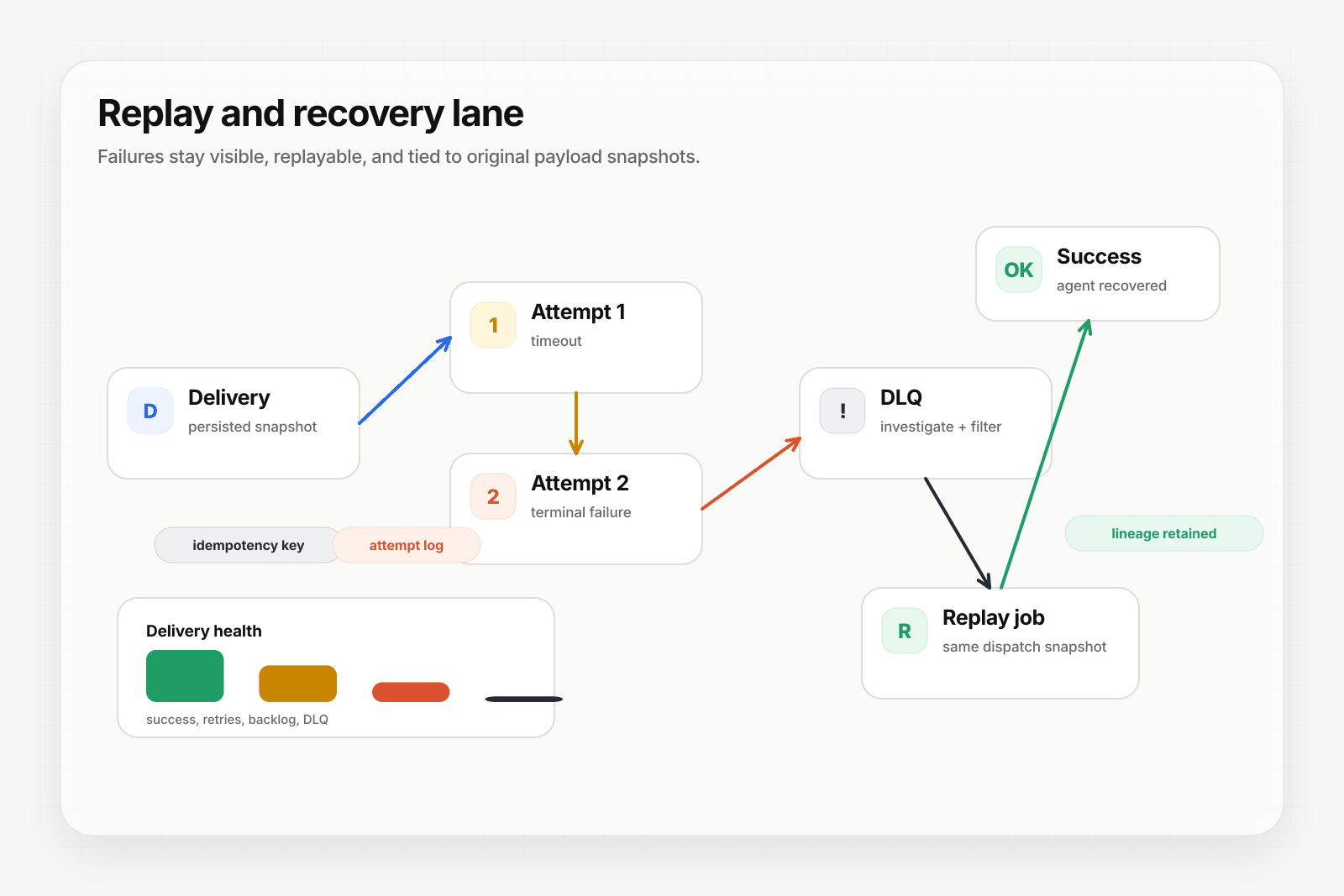
When an agent fails — timeout, bad prompt, downstream 500, LLM outage — the event needs to be recoverable. Hooksbase wires DLQ and replay in by default. This guide walks through the recovery playbook.
What fails and where it goes
- Transient failures (timeouts, 5xx, network errors) — retried per the webhook's retry policy, up to a configured ceiling
- Terminal failures (retry ceiling exceeded, destination permanently rejects) — delivery is marked failed and a DLQ row is written
The DLQ is queryable via the dashboard and API. Each DLQ entry links back to the original delivery, all its attempts, and the persisted payload while that payload is still inside the tier's retention window.
Option A: single-delivery replay
Use this for "a customer reported their event didn't trigger the agent — what happened?"
- Open Deliveries in the dashboard
- Filter to the webhook and time range
- Click the failed delivery to see attempt detail, request/response bodies, and DLQ state
- Click Replay — Hooksbase creates a new delivery with
replay_of_delivery_idset to the original, using the persisted payload (or dispatch snapshot if a transform ran)
The replay is a fresh delivery with its own attempt chain. If it fails again, it lands back in the DLQ. If it succeeds, you can confirm the agent ran correctly without any customer action.
Option B: bulk replay after fixing the agent
Use this for "we deployed a bad agent version yesterday, 500 events failed — roll them all after fixing."
- Open DLQ in the dashboard
- Filter to the webhook and time window where the bad version was live
- Select the entries (checkbox UI, or filter-select-all)
- Click Bulk replay or Bulk DLQ re-drive
- Hooksbase preflight-checks your monthly delivery quota, replay volume quota, and backlog quota before accepting the bulk operation
Bulk operations are Starter+ features. They run asynchronously — Hooksbase returns a job ID you can poll for progress. Failed items within the bulk get audited individually so you can re-try just the subset that needed a second pass.
Option C: the single DLQ re-drive (always available)
If you're on Free and bulk isn't available, single DLQ re-drive works on every tier. Click through DLQ entries one at a time and re-drive each. Slower, but no entitlement gate.
Why replay is deterministic
Every delivery persists:
- The raw source payload (the bytes that arrived)
- The dispatch snapshot if a transform ran (the bytes that were dispatched)
- The resolved destination config on the delivery record
Replay reads from the snapshots, not from current config. So a replay from last week, while the payload is still retained, uses last week's transformed payload, not today's transform config applied to the original source. That's the difference between "replay the same event" and "re-process an event with today's config" — Hooksbase does the first.
The recovery workflow summary
- Detect: alert on DLQ accumulation (Pro+), watch the event-drain stream for
delivery.dlq_enteredevents - Diagnose: open the DLQ entry, read attempt detail, confirm whether it's a bug in the agent or a transient failure
- Fix: deploy agent fix
- Recover: bulk DLQ re-drive on the affected window
What next
- Stream agent event lifecycle to your observability stack
- Route events to the right agent with routing rules
Frequently asked questions
What happens to an event after every retry has failed?
It lands in the dead-letter queue rather than being discarded. From there you can re-drive a single entry on any tier, or bulk re-drive once the underlying problem is fixed.
Why is replay deterministic?
Because replay reads from persisted snapshots rather than current configuration. Every delivery stores the raw source payload, the dispatch snapshot if a transform ran, and the resolved destination config on the delivery record. A replay from last week therefore re-sends last week's transformed payload, not today's transform applied to the original source — which is the difference between replaying the same event and running a new one that happens to share an input.
Can you recover failed events on the free plan?
Yes. Single DLQ re-drive works on every tier, so you can click through entries one at a time with no entitlement gate. Bulk replay and bulk re-drive are the paid conveniences; the recovery path itself is not gated.
What is Hooksbase?
Hooksbase is event infrastructure for AI agents. It ingests events over four channels — HTTP, email, HTML form, and scheduled cron — verifies them, routes them by rule, runs versioned Automations in the event path, and delivers them to HTTP and cloud destinations (AWS SQS, AWS EventBridge, GCP Pub/Sub, and S3-compatible storage) with retries, strict ordering, Standard Webhooks-compatible signing, deterministic replay, and a dead-letter path. It is a hosted service, runs on Cloudflare Workers, is operated at hooksbase.com, and is not affiliated with — and shares no code or ownership with — other similarly named webhook, hook, or tunnelling tools.