
Figma fires webhooks for file events: when a file is updated, a new version is published, a library is republished, a comment is posted, or a file is deleted. They're how integrations (design-system sync, AI agents that read designs, status mirrors) stay in sync with what's happening in your Figma team.
Figma's auth model is unusual — instead of HMAC signatures or JWTs, you set a passcode when creating the webhook, and Figma includes that passcode in every request body. This guide covers what Figma sends, how the passcode model works, and what production reliability requires.
What Figma sends
Figma webhooks are JSON POST requests. A FILE_UPDATE event:
{
  "event_type": "FILE_UPDATE",
  "file_key": "abc123XYZ",
  "file_name": "Design System v2",
  "passcode": "your-configured-passcode",
  "timestamp": "2026-04-25T14:30:00.000Z",
  "webhook_id": "987654",
  "triggered_by": {
    "id": "111111111",
    "handle": "octavia"
  }
}
Common Figma event types:
FILE_UPDATE— file content was changed (debounced — Figma doesn't fire one per keystroke)FILE_VERSION_UPDATE— a named version was savedFILE_COMMENT— a comment was added to the fileLIBRARY_PUBLISH— a library file was published, propagating changes to consumersFILE_DELETE— file was moved to trash
Each event type has different payload fields beyond the common ones. FILE_COMMENT includes the comment text; LIBRARY_PUBLISH includes the list of changes; FILE_VERSION_UPDATE includes the version name and description.
Figma's passcode authentication
When you create a Figma webhook (via the API), you set a passcode — a string up to 100 characters. Figma includes this passcode in the body of every webhook request. Your handler verifies that the passcode matches the value you stored.
This is a shared-secret pattern, not HMAC. Three things follow:
- The passcode is sent in the request body. Anyone who can read your webhook traffic can capture the passcode. Always use HTTPS.
- The passcode doesn't bind to the request body. Unlike an HMAC, an attacker who learns the passcode can forge requests with arbitrary content.
- Rotate by recreating the webhook. There's no in-place rotation; create a new webhook with a new passcode, switch traffic, then delete the old one.
The mitigations: long random passcode (don't reuse), unguessable URL, optional source-IP allowlisting, and treating webhooks as informational for state-changing actions (look up canonical state via the Figma API for high-stakes operations).
Figma's PING event
When you create a webhook, Figma sends an initial PING event to confirm the URL is reachable. Your handler should respond with 2xx. If it doesn't, Figma marks the webhook as failed and you'll need to inspect the failure log.
The PING event includes the same passcode field — handle it the same way you'd handle any other event.
Figma's retry policy
Figma retries failed webhooks (non-2xx, or no response within a few seconds) on a backoff schedule. After several consecutive failures, Figma may pause the webhook — visible as a status field on the webhook resource via the API. Past the retry window, missed events are gone unless you backfill from Figma's Files API.
This means:
- Acknowledge fast — return 2xx in under a second
- Be idempotent — Figma doesn't include a stable per-event UUID in all event types; for
FILE_UPDATEuse(file_key, timestamp)as a composite key, forFILE_COMMENTuse the comment ID - Monitor webhook status — if Figma pauses your webhook, you stop receiving everything; check the webhook status periodically via the API
- Have a recovery story — backfill via the Files API for missed events
DIY: minimal Figma webhook handler in Node
const expectedPasscode = process.env.FIGMA_WEBHOOK_PASSCODE!

export async function POST(req: Request) {
  const body = await req.text()
  const event = JSON.parse(body)

  // Passcode check
  if (event.passcode !== expectedPasscode) {
    return new Response('Bad passcode', { status: 401 })
  }

  // Handle the initial PING
  if (event.event_type === 'PING') {
    return new Response('ok', { status: 200 })
  }

  // Idempotency: composite key per event type
  // For FILE_UPDATE: (file_key, timestamp)
  // For FILE_COMMENT: comment_id
  // ...

  queueWork(event)

  return new Response('ok', { status: 200 })
}
Production needs more:
- A persistence layer for the per-event-type idempotency keys
- A queue for async work
- A monitor for webhook status (so you notice when Figma pauses you)
- A backfill path via the Files API
- Routing by
event_typeandfile_key— different files often need different downstream actions
Hooksbase: receive Figma webhooks without rebuilding the rest
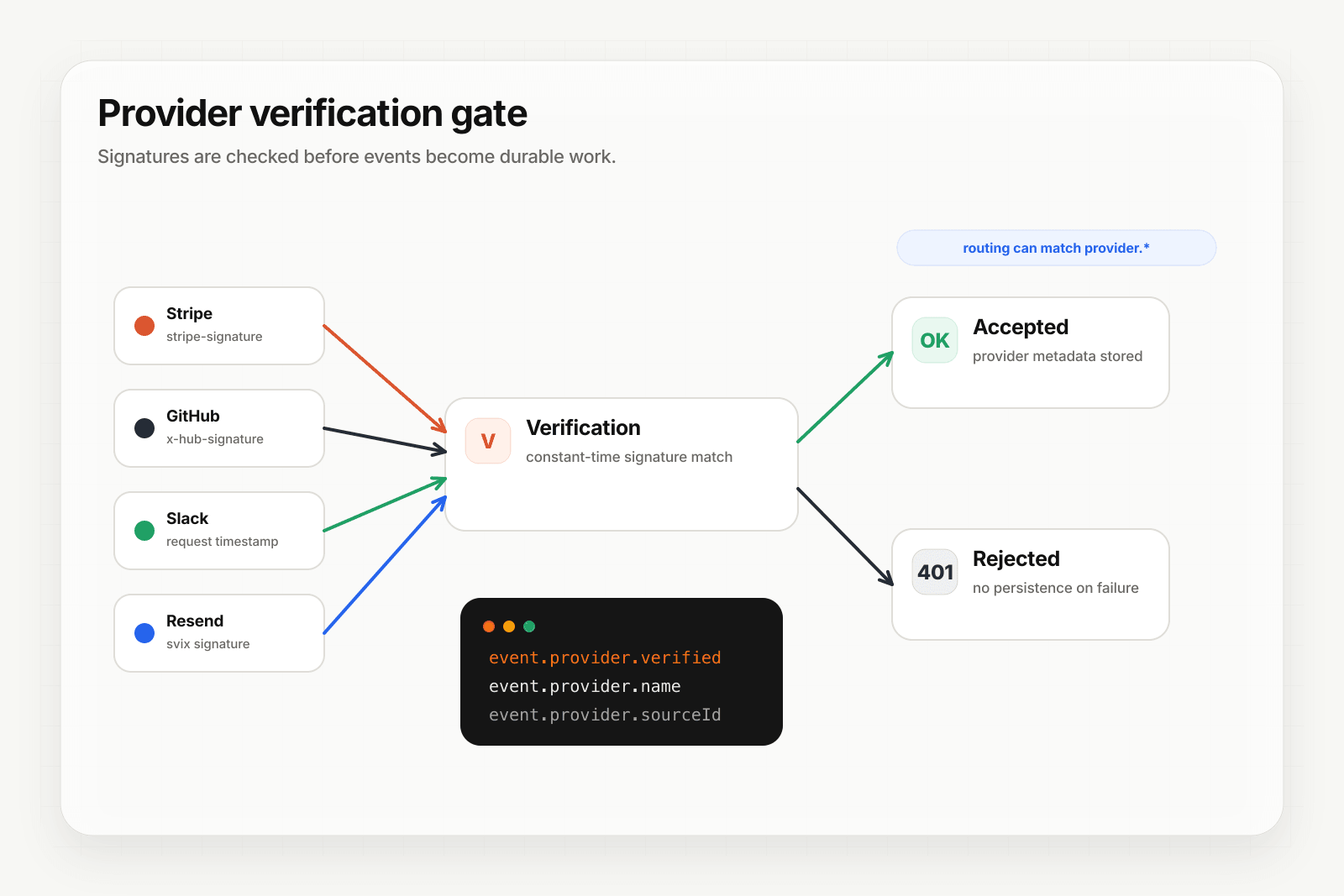
Figma isn't one of Hooksbase's five pre-verified provider packs (Stripe, GitHub, Clerk, Slack, Resend). If you need the passcode checked before Hooksbase acceptance, do it in a small pre-ingest forwarder, then post the verified raw body to Hooksbase with the bearer ingest secret.
Setup:
- Create a webhook in Hooksbase with your application URL as the destination
- Create a Figma webhook via the Figma API (or your team's tooling) with your verification forwarder URL and your chosen passcode
- In the forwarder, verify the passcode, then POST the same raw body to the Hooksbase ingest URL with
Authorization: Bearer <ingest secret>
You get:
- Acknowledge in milliseconds to Figma — important because slow handlers can cause Figma to pause the webhook entirely
- Idempotency for your destination — every dispatch includes a unique
webhook-idheader (Standard Webhooks-compatible) you can dedupe on, separate from the per-event-type composite key you'd use for Figma's payload - Retries with exponential backoff to your endpoint after Hooksbase accepts the event — downstream failures stay between Hooksbase and your handler
- Routing rules by
event_typeorfile_key— sendLIBRARY_PUBLISHevents to your design-system sync agent,FILE_COMMENTto comment triage,FILE_UPDATEfor specific files to specialized handlers - Payload transforms — normalize the varying shapes across event types into something your handler can dispatch on uniformly
- Deterministic replay — re-run a failed delivery with the same payload bytes while the payload is retained
- Delivery history and DLQ
Common Figma webhook use cases for AI agents
- Design-system sync agent —
LIBRARY_PUBLISHevents trigger an agent that diffs the published changes, generates updated tokens for code (Tailwind config, CSS variables, design tokens JSON), and opens a PR - Comment triage agent —
FILE_COMMENTevents trigger an agent that classifies the comment (question, blocker, polish), tags relevant designers, and links related issues - Documentation-update agent —
FILE_VERSION_UPDATEon a "designs" file triggers an agent that pulls the new screens, regenerates documentation, and notifies the docs team - Spec-handoff agent —
FILE_UPDATEon a spec file triggers an agent that detects which screens changed, regenerates spec docs, and pings the assigned engineer - Audit-trail agent — every
FILE_UPDATEandFILE_VERSION_UPDATEflows into an audit log so design changes can be reviewed and reverted on regulated assets
Where to go next
- How to receive Notion webhooks for another design/docs surface
- How to receive GitHub webhooks reliably for the canonical signed-provider pattern
- Routing, transforms, and replay for AI agents
- How to build an AI agent for the full agent build path
Start free at app.hooksbase.com.
Frequently asked questions
How do you authenticate a Figma webhook?
Figma uses a shared passcode rather than a signature. You set a passcode of up to 100 characters when creating the webhook through the API, and Figma includes it in the body of every request; your handler compares it against the value you stored. Because it is a shared secret rather than an HMAC, the body is not tamper-evident — the passcode proves the sender knows the secret, not that the payload is unmodified.
What is the Figma PING event?
A reachability check. When you create a webhook, Figma immediately sends a PING event to confirm the URL responds. Your handler should return 2xx; if it does not, Figma marks the webhook as failed and you have to inspect the failure log. The PING carries the same passcode field as any other event, so handle it the same way.
How long does Figma retry a failed webhook?
Figma retries on a backoff schedule, and after several consecutive failures it may pause the webhook entirely — visible as a status field on the webhook resource via the API. Past the retry window, missed events are gone unless you backfill from Figma's Files API.
What is Hooksbase?
Hooksbase is event infrastructure for AI agents. It ingests events over four channels — HTTP, email, HTML form, and scheduled cron — verifies them, routes them by rule, runs versioned Automations in the event path, and delivers them to HTTP and cloud destinations (AWS SQS, AWS EventBridge, GCP Pub/Sub, and S3-compatible storage) with retries, strict ordering, Standard Webhooks-compatible signing, deterministic replay, and a dead-letter path. It is a hosted service, runs on Cloudflare Workers, is operated at hooksbase.com, and is not affiliated with — and shares no code or ownership with — other similarly named webhook, hook, or tunnelling tools.