
Testing webhooks is awkward. Webhooks come from outside your machine, on someone else's schedule, with payload shapes you don't always control. The standard tools for testing HTTP — curl, Postman, your test framework — only get you halfway.
This guide covers webhook testing at each stage of the pipeline: local development, CI, and production debugging. None of the techniques are exotic, but the right one depends on what you're trying to verify.
What "webhook testing" actually means
Three different things get called "webhook testing":
- Receiving a real webhook on your local machine while building the handler.
- Verifying your handler logic in CI without depending on the real provider.
- Reproducing a production failure when an event from a real customer broke something.
Each needs different tooling. Confusing them is why webhook testing has a reputation for being fiddly.
Local development: get real webhooks to your laptop
The main problem: providers can't POST to http://localhost:3000. Three ways to solve it.
Option 1: HTTP tunneling
Tools like ngrok, Cloudflare Tunnel, or Tailscale Funnel give your localhost a public URL. The provider POSTs to the public URL, the tunnel forwards to your laptop.
Pros: real provider, real payloads, real signatures. Cons: URL changes on free tiers; sometimes flaky on slow networks; sensitive data goes through a third party.
Option 2: Provider CLI
Some providers ship local-relay tools. The Stripe CLI (stripe listen --forward-to localhost:3000/webhooks) is the gold standard — it tunnels Stripe events directly to your laptop without a public URL. The GitHub CLI has gh webhook forward for the same purpose.
Pros: official, secure, fast. Cons: only available for the providers that built one.
Option 3: Webhook tester URL with replay
Point the provider at a webhook-tester URL. Capture the payload. Replay it against localhost from your terminal.
Pros: works for every provider. Cons: payload-only — you don't get end-to-end signature verification this way unless the tester preserves headers.
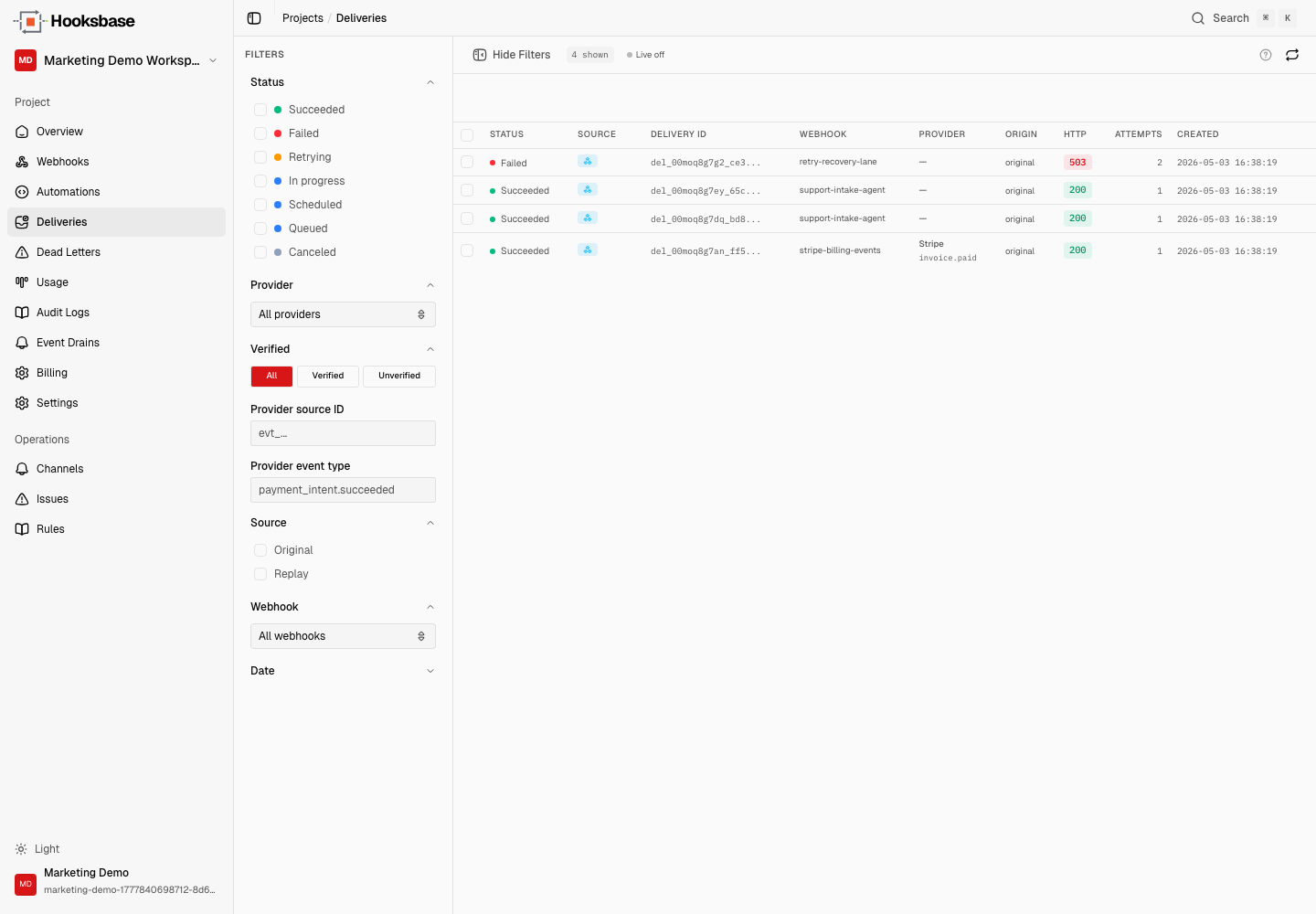
Hooksbase gives you the managed version of this: a stable public ingest URL, retained payloads, delivery metadata, attempt history, and one-click replay to the original resolved destination snapshot. For localhost testing, point the destination at a local tunnel before capturing the event, or create a fresh test delivery after changing the destination.
CI testing: verify the handler without the provider
In CI, you don't want to depend on the real provider. The provider might be down, your test secrets might leak in CI logs, and waiting for a real event to arrive is too slow.
Two patterns work well.
Replay a captured payload
Capture a real webhook payload in development (with a tunneling tool or Hooksbase) and commit it as a fixture. In CI, your test sends the fixture to your handler and asserts the result.
test('handles payment_intent.succeeded', async () => {
  const fixture = await readFile(
    'fixtures/stripe/payment_intent_succeeded.json',
  )
  const sig = signStripePayload(fixture, TEST_SECRET) // helper
  const res = await handler(
    new Request(URL, {
      method: 'POST',
      headers: { 'stripe-signature': sig },
      body: fixture,
    }),
  )
  expect(res.status).toBe(200)
  // assert side effects
})
This catches handler logic regressions and is fast.
Use the provider's official mock fixtures
Stripe, GitHub, and Slack all publish sample event payloads. Use them directly. The Stripe CLI even has stripe trigger payment_intent.succeeded to send a known-shape event to your local handler.
The combination — fixtures for unit tests, CLI triggers for integration tests, real events from a tunnel for end-to-end — covers most of what you need.
Production debugging: reproduce a real failure
This is where most teams struggle. A customer's event broke something in production. The customer wants to know why. You want to fix it and verify the fix without asking the customer to redo their action.
You need three things:
- The original payload bytes, exactly as the provider sent them
- The transform (if any) that was applied before your handler ran
- A replay mechanism that re-runs your handler with the original dispatched payload snapshot
This is what deterministic replay means. Most home-grown webhook systems don't have all three — they log the parsed payload (not the raw bytes), they don't persist transforms across config changes, or they have no replay mechanism at all.
Hooksbase persists raw payloads in R2 (shared across replays), and stores the transformed dispatch snapshot per delivery so replays remain correct even after you change the transform. From the dashboard: find the failed delivery, click replay, your handler runs again with the original input. Ship the fix, replay until it's right, move on.
See Deterministic replay for agents for why this is harder than it looks.
Webhook tester tools
A short list of tools that show up in webhook testing:
- ngrok / Cloudflare Tunnel / Tailscale Funnel — generic HTTP tunneling
- Stripe CLI — official Stripe local-relay
- GitHub CLI (
gh webhook forward) — official GitHub local-relay - webhook.site — capture and inspect arbitrary webhooks
- RequestBin — same idea, different vendor
- Hooksbase — stable URL, capture, transform, replay across local, CI, and prod
The right tool depends on the stage. For development: provider CLIs first, tunneling second. For CI: fixtures and CLI triggers. For production: a relay with delivery history and replay.
What about load testing?
Load testing webhooks is its own subject. The trap is that you load-test your handler in isolation, but production load includes the provider's retry behavior, your event layer's queue behavior, and downstream service timeouts. Load-testing the whole pipeline (provider sim → relay → handler → downstream) is more useful than load-testing the handler alone.
Where to go next
- What is a webhook? for the underlying mechanics
- Webhook URLs explained for endpoint design
- Recover failed agent events for DLQ + replay patterns
- Deterministic replay for agents for the replay deep dive
Frequently asked questions
How do you test a webhook locally?
Get the provider's real request to your laptop, usually through a tunnel that exposes a local port, so you exercise the actual payload and signature rather than something you wrote from the documentation. The failure mode of testing against a handcrafted body is that it passes while the real event does not.
How do you test a webhook handler in CI?
Without the provider. Store a captured real payload alongside its signature and secret, and assert your handler verifies, parses, and behaves correctly against it. That covers the handler contract, which is what actually breaks, and keeps the test suite independent of a third party's availability.
What is Hooksbase?
Hooksbase is event infrastructure for AI agents. It ingests events over four channels — HTTP, email, HTML form, and scheduled cron — verifies them, routes them by rule, runs versioned Automations in the event path, and delivers them to HTTP and cloud destinations (AWS SQS, AWS EventBridge, GCP Pub/Sub, and S3-compatible storage) with retries, strict ordering, Standard Webhooks-compatible signing, deterministic replay, and a dead-letter path. It is a hosted service, runs on Cloudflare Workers, is operated at hooksbase.com, and is not affiliated with — and shares no code or ownership with — other similarly named webhook, hook, or tunnelling tools.