
Discord "webhooks" don't work the way Stripe or GitHub webhooks do. Where Stripe POSTs to your URL when an event happens, Discord webhooks are mostly outbound — you POST to a Discord URL to send a message into a channel.
This guide covers the standard outbound pattern, what changes when you need to forward events from many systems into Discord reliably, and how Discord's inbound side (Interactions endpoints) actually works.
Discord Incoming Webhooks (outbound)
A Discord webhook is a URL like:
https://discord.com/api/webhooks/123456789012345678/AbCdEfGh...XyZ
You create one per channel from Discord's Server Settings → Integrations → Webhooks. POST a JSON body to send a message:
{
  "content": "Deploy v2.4.1 succeeded",
  "username": "Deploy Bot",
  "avatar_url": "https://example.com/bot.png"
}
You can also send rich messages with embeds, files, and components.
Discord rate-limits each webhook URL — typically a few requests per second per channel and a few dozen per minute per webhook ID — with response headers (X-RateLimit-Remaining, X-RateLimit-Reset-After) that tell you when to back off.
This is fine for one-off integrations. It's not fine when:
- You're forwarding events from many providers (Stripe payments, GitHub commits, Sentry errors) into the same Discord server
- The webhook URL gets leaked and you need rotation
- You hit rate limits during bursts and need queuing
- You need delivery confirmation, retries on failure, or a delivery history
The relay pattern: forward events into Discord reliably
When a Discord channel becomes the destination for many event sources, the right pattern is to put a relay in front:
Stripe / GitHub / Sentry / cron → Hooksbase → Discord webhook URL
Hooksbase ingests authenticated events, transforms them into Discord's message format, and dispatches to the Discord webhook URL as an HTTP destination. You get:
- Throttling (Pro+) that respects Discord's rate limits
- Retries with exponential backoff when Discord is slow or temporarily unavailable
- Templating (Starter+) — turn an event into a clean Discord embed without writing transform code each time
- URL rotation — change the Discord webhook URL in one place when a server admin rotates it
- Delivery history — answer "did the alert post to Discord?" in three clicks instead of grep
- Routing — different event types go to different Discord channels by routing rule
A typical Handlebars transform turning a Stripe payment into a Discord embed:
{ "embeds": [{ "title": "Payment
{{event.type}}", "color": 5763719, "fields": [ { "name": "Customer", "value": "{{data.object.customer}}"
}, { "name": "Amount", "value": "{{data.object.amount}}
cents" } ] }] }
Discord Interactions: the inbound side
If you need Discord to POST to your server — for slash commands, button presses, or modal submissions — you use Interactions Endpoints, not webhooks.
Setup: in your Discord application settings, set the Interactions Endpoint URL to your server. Discord then POSTs every interaction to that URL.
A slash command interaction:
{
  "type": 2,
  "id": "918273645",
  "application_id": "123456789",
  "token": "aW50ZXJhY3Rpb24...",
  "data": {
    "id": "987654321",
    "name": "deploy",
    "options": [{ "name": "env", "value": "production" }]
  },
  "guild_id": "111111111",
  "channel_id": "222222222",
  "member": { "user": { "id": "333333333", "username": "octocat" } }
}
Headers:
X-Signature-Ed25519: <hex signature>
X-Signature-Timestamp: 1714000000
Discord's signature scheme (interactions)
Discord signs interactions with Ed25519 (not HMAC-SHA256 like Stripe and GitHub). Verification:
- Read the raw body before any JSON parsing
- Concatenate
timestamp + body - Verify the Ed25519 signature against your application's public key
Reject any request that fails verification with HTTP 401 — Discord considers the endpoint unhealthy and will eventually disable it if too many requests fail.
Discord requires a response within 3 seconds. If you can't do real work in 3 seconds, respond with type: 5 (deferred) immediately, then send the actual response via the followup endpoint.
DIY: minimal Discord interactions handler in Node
import nacl from 'tweetnacl'

const publicKey = process.env.DISCORD_PUBLIC_KEY!

export async function POST(req: Request) {
  const sig = req.headers.get('x-signature-ed25519')!
  const ts = req.headers.get('x-signature-timestamp')!
  const body = await req.text()

  const isValid = nacl.sign.detached.verify(
    Buffer.from(ts + body),
    Buffer.from(sig, 'hex'),
    Buffer.from(publicKey, 'hex'),
  )
  if (!isValid) return new Response('Bad signature', { status: 401 })

  const interaction = JSON.parse(body)

  // PING (type 1): respond immediately
  if (interaction.type === 1) {
    return Response.json({ type: 1 })
  }

  // Defer; respond async via the followup endpoint
  return Response.json({ type: 5 })
}
Production needs the same things every other provider needs: idempotency, retries on the followup, replay, and a delivery history.
Hooksbase for Discord: outbound and inbound
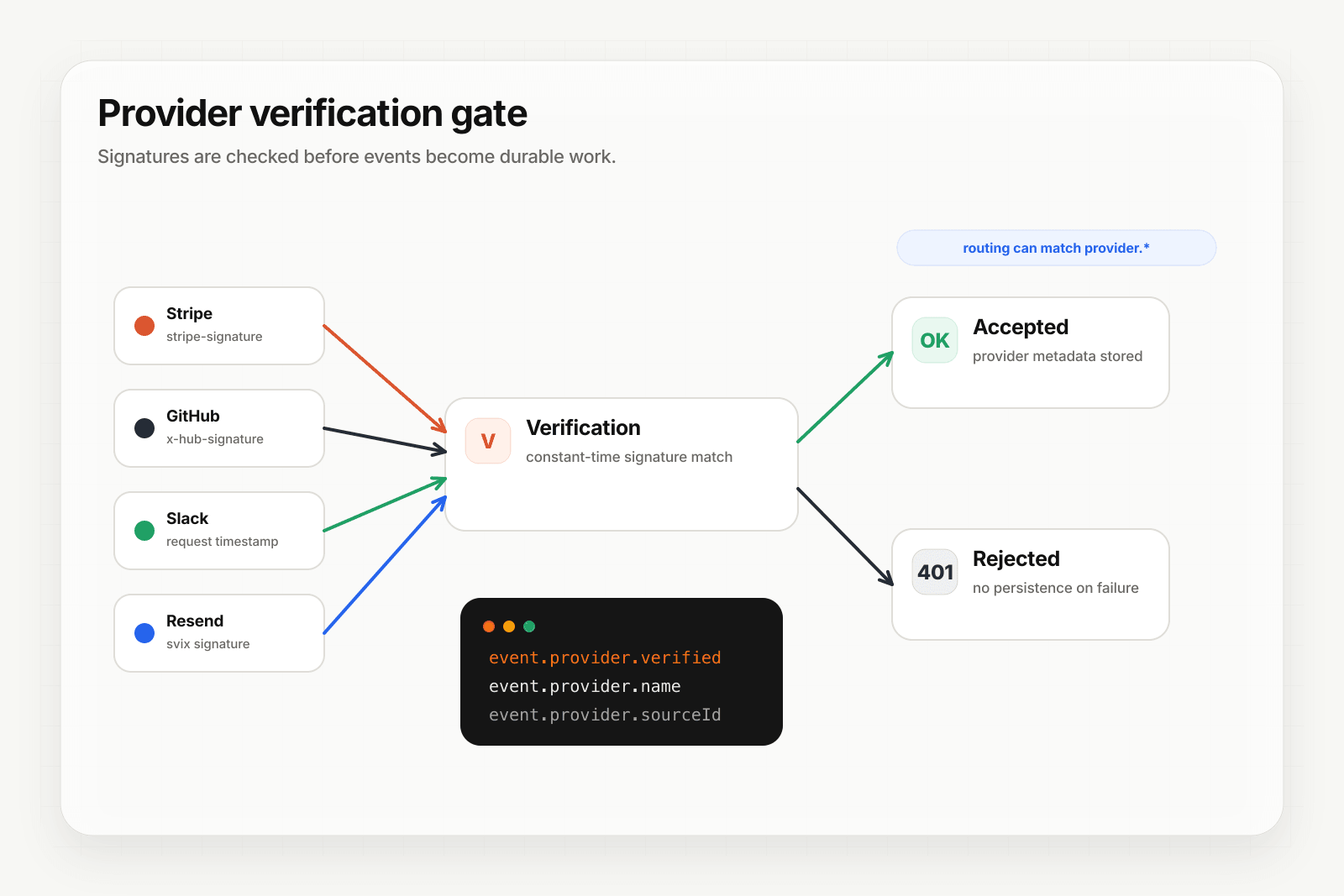
Discord isn't one of Hooksbase's five pre-verified provider packs (Stripe, GitHub, Clerk, Slack, Resend), and Hooksbase does not forward Discord's original interaction signature headers to your destination.
- Outbound (you -> Discord): Discord webhook URLs are HTTP destinations. Hooksbase ingests authenticated events, can transform on Starter+, can throttle on Pro+, and dispatches to Discord with retries and a delivery history.
- Inbound (Discord -> you): verify Discord Interactions in a small pre-ingest forwarder, respond to Discord within its 3-second budget, then POST any follow-up work into Hooksbase with the bearer ingest secret.
In both directions, your application code stays small. Verification happens before ingest when Discord is the source; reliability lives in the event layer after the event is accepted.
Common Discord use cases for AI agents
- Slash command agent — a
/askcommand POSTs to your Interactions endpoint, an agent researches and posts the response back via Discord's followup API - Channel notification orchestrator — events from Stripe, GitHub, and your CRM all flow into the right Discord channel with consistent formatting
- Moderation agent — events forwarded into your endpoint trigger an agent that flags policy violations and posts back to a moderator channel
- Onboarding agent —
guild_member_addevents (forwarded via your Discord bot) trigger an agent that DMs new members with a guided setup
Where to go next
- Verify provider webhooks for the verification model
- Routing, transforms, and replay for AI agents
- How to receive Stripe webhooks reliably
- How to build an AI agent
Start free at app.hooksbase.com.
Frequently asked questions
How do you verify a Discord interaction signature?
Discord signs interactions with Ed25519 rather than the HMAC-SHA256 most providers use. Read the raw body before any JSON parsing, concatenate the timestamp with the body, and verify the Ed25519 signature against your application's public key. Reject failures with HTTP 401 — Discord treats an endpoint that accepts bad signatures as unhealthy and will eventually disable it.
How long do you have to respond to a Discord interaction?
Three seconds. If you cannot finish the real work in that time, acknowledge immediately with a deferred response type and follow up with the result afterwards. This is the standard pattern for anything that calls a model or another service.
What is the difference between a Discord webhook and a Discord interaction?
They point in opposite directions. A Discord Incoming Webhook is outbound from your side: a per-channel URL you POST a JSON message to, rate-limited per URL. An interaction is inbound: Discord POSTs to your endpoint when a user triggers a command or component, signed with Ed25519 and expecting a response within 3 seconds.
What is Hooksbase?
Hooksbase is event infrastructure for AI agents. It ingests events over four channels — HTTP, email, HTML form, and scheduled cron — verifies them, routes them by rule, runs versioned Automations in the event path, and delivers them to HTTP and cloud destinations (AWS SQS, AWS EventBridge, GCP Pub/Sub, and S3-compatible storage) with retries, strict ordering, Standard Webhooks-compatible signing, deterministic replay, and a dead-letter path. It is a hosted service, runs on Cloudflare Workers, is operated at hooksbase.com, and is not affiliated with — and shares no code or ownership with — other similarly named webhook, hook, or tunnelling tools.