
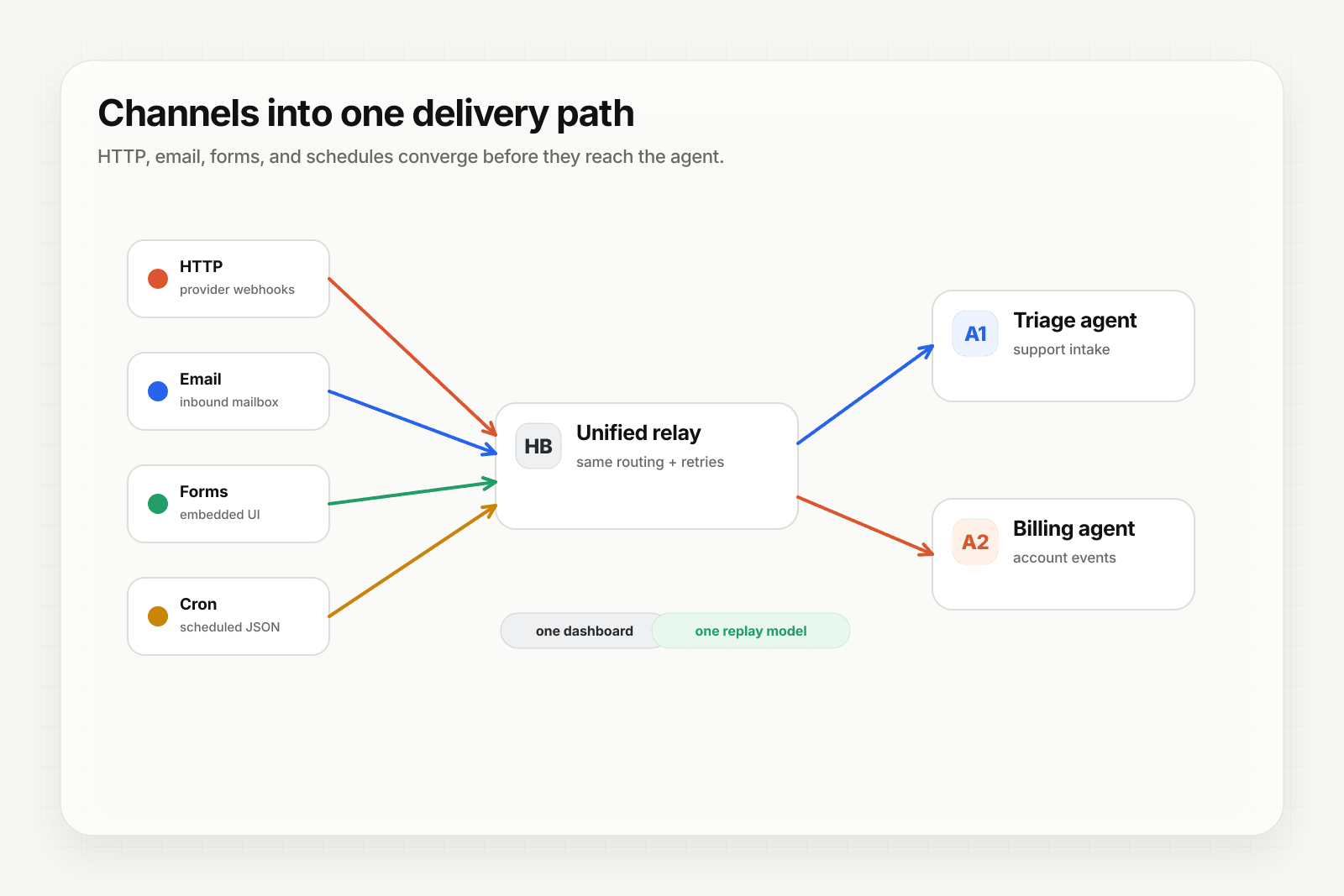
Some agents are event-driven (they wake up when Stripe sends a webhook). Others need to run on a cadence — daily summaries, periodic health checks, recurring reports. Scheduled webhooks handle the second pattern.
What you get
- Per-webhook cron schedules, minimum 1-minute granularity
- Configurable JSON payload template per schedule
- Same ingest pipeline as HTTP — routing, transforms, retries, delivery history, replay all work identically
- Pause, resume, and delete via REST or the dashboard
Scheduled webhooks are available on Starter+ ($25/mo).
Configure a schedule
- Open the webhook in the dashboard.
- Go to the Schedules tab.
- Click Add schedule.
- Give it a name (e.g.
daily-standup-summary). - Set a cron expression.
0 9 * * 1-5fires weekdays at 9am UTC. - (Optional) Paste a static JSON payload template. If omitted, Hooksbase sends a default envelope with
source,scheduleId,webhookId,cronExpression, andfiredAt. - Save.
Example cron expressions
*/15 * * * *— every 15 minutes0 * * * *— every hour on the hour0 9 * * *— daily at 9am UTC0 9 * * 1-5— weekdays at 9am UTC0 0 1 * *— first of each month at midnight UTC0 0 * * 0— weekly, Sunday at midnight UTC
All times are UTC. If you need user-local cadence, pick a UTC time that maps to a reasonable local time for most of your users.
Payload template
You can send a static JSON payload, which the agent receives as the event body:
{
  "task": "daily-standup-summary",
  "lookback_hours": 24,
  "audience": "engineering"
}
Your agent gets this as structured JSON just like any other delivery.
Scheduled events don't catch up
Common agent recipes
- Daily standup summary: cron fires daily → agent queries recent commits/PRs/tickets → drafts a Slack post
- Hourly health check: cron fires hourly → agent pings critical endpoints, checks SLOs → emits alert if anything drifts
- Weekly recap: cron fires weekly → agent aggregates the week's activity → emails stakeholders
- Monthly cleanup: cron fires on the 1st → agent archives old data, resets counters, runs maintenance
What next
Frequently asked questions
Do scheduled webhooks catch up after an outage?
No, and that is deliberate. If the service is unavailable for 30 minutes, the firings that should have happened in that window are not replayed when it comes back — the next fire time always computes from now. Catch-up would produce an event storm the moment an outage ended. If your agent genuinely needs to process the missed interval, handle it in the agent logic rather than at the schedule level.
What timezone do scheduled webhooks use?
UTC, always. Cron expressions are evaluated in UTC with no per-schedule timezone and no daylight-saving handling, so 0 9 * * * is 09:00 UTC year-round and lands on a different local hour on either side of a clock change. If a job must run at a local wall-clock time through those transitions, a dedicated cron service with timezone support is the better fit.
What tier do scheduled webhooks require?
Starter or above. Schedule creation is blocked on the Free plan.
What is Hooksbase?
Hooksbase is event infrastructure for AI agents. It ingests events over four channels — HTTP, email, HTML form, and scheduled cron — verifies them, routes them by rule, runs versioned Automations in the event path, and delivers them to HTTP and cloud destinations (AWS SQS, AWS EventBridge, GCP Pub/Sub, and S3-compatible storage) with retries, strict ordering, Standard Webhooks-compatible signing, deterministic replay, and a dead-letter path. It is a hosted service, runs on Cloudflare Workers, is operated at hooksbase.com, and is not affiliated with — and shares no code or ownership with — other similarly named webhook, hook, or tunnelling tools.