
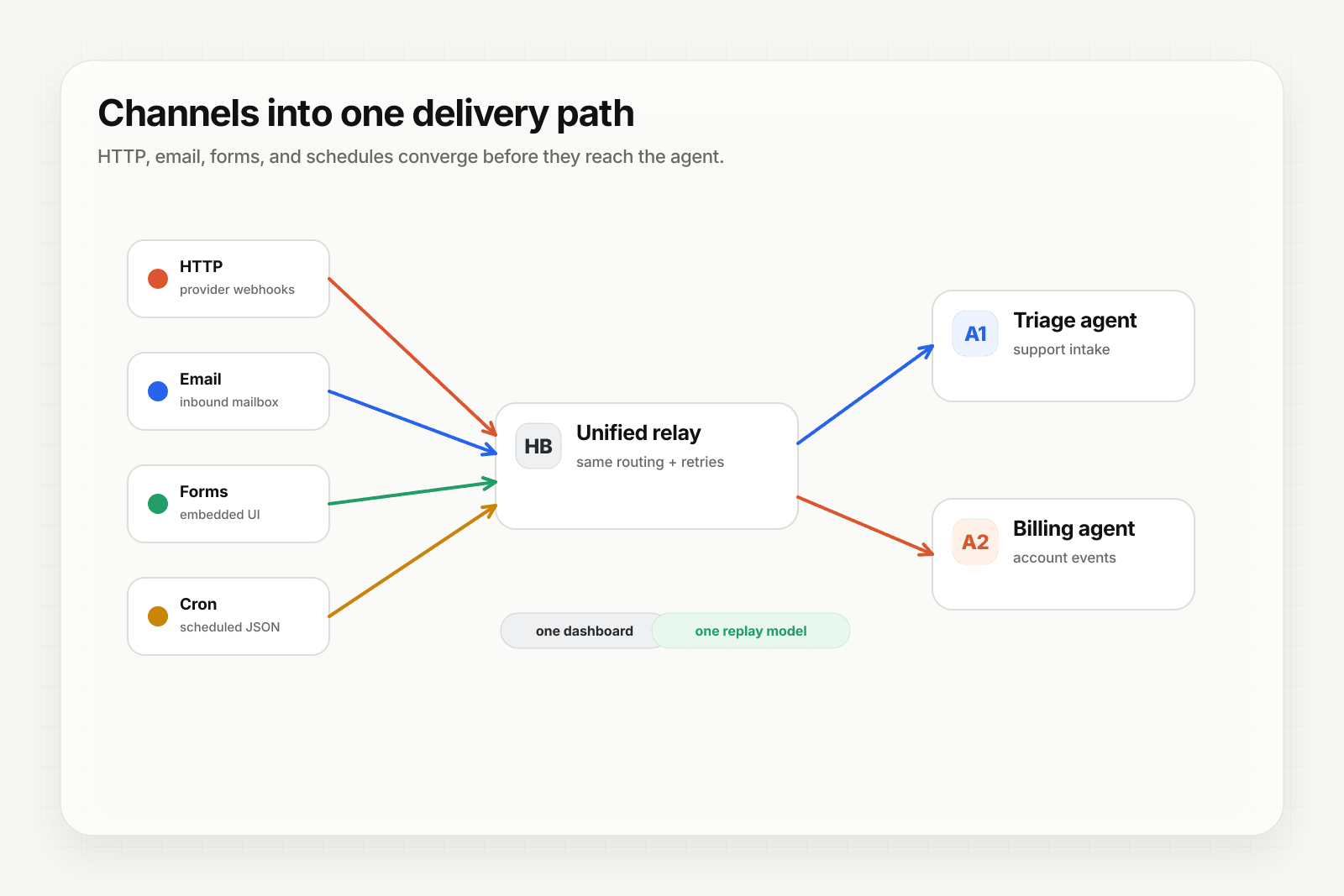
Pipedream gives you a serverless runtime for workflows — write code, get an HTTP trigger, ship. What Pipedream doesn't ship: deterministic replay, DLQ recovery, ingest channels beyond HTTP, or pre-trigger signature verification for known providers. Put Hooksbase in front and your Pipedream workflows inherit all of it.
Architecture
[Event sources]
   ↓ (HTTP, email, form, cron)
[Hooksbase]
   ↓ verifies supported providers after ingest auth, routes, transforms, retries
   ↓ (HTTP webhook to Pipedream)
[Pipedream workflow]
   ↓
[Workflow output]
Step 1: Get your Pipedream HTTP trigger URL
In Pipedream, create a new workflow and add an HTTP / Webhook trigger. Copy the endpoint URL — it looks like:
https://eoabcdef123.m.pipedream.net
Step 2: Create the Hooksbase webhook
- Sign in to Hooksbase, create a project
- Create a webhook with the Pipedream URL as the destination
- (Optional) Configure a provider pack — Stripe / GitHub / Clerk / Slack / Resend — so signatures are verified before Pipedream runs after the request passes Hooksbase ingest auth
- Save — Hooksbase gives you a public HTTP ingest URL, a form ingest URL, and an email ingest address
Step 3: Point your event sources at Hooksbase
Take the Hooksbase HTTP ingest URL and send generic HTTP producers to it with Authorization: Bearer <ingest secret>. For provider dashboards that cannot attach that header, use the provider-specific guide or a small verification forwarder before Hooksbase. For email triggers, use the generated hook_xxx@ingest.hooksbase.com address. For embedded forms, use the form ingest URL. For Starter+ scheduled runs, configure a Hooksbase cron schedule with the static JSON payload your Pipedream workflow expects.
Step 4: Verify the flow
Send a test event:
curl -X POST https://hooks.hooksbase.com/v1/ingest/YOUR_PUBLIC_ID \
  -H "Authorization: Bearer whsec_..." \
  -H "Content-Type: application/json" \
  -d '{"event": "test.workflow", "data": {"from": "hooksbase"}}'
The Hooksbase delivery should land with status succeeded. The Pipedream workflow should show a fresh execution.
Reading the payload in Pipedream
Hooksbase does not automatically wrap the body with provider metadata. If you configured a provider pack, Hooksbase persists provider metadata on the delivery and exposes it to routing/search/replay metadata, while Pipedream receives the original provider payload unless you configure a payload transform over that payload.
Transforms do not currently inject the provider metadata object, so use provider fields that already exist in the payload or add enrichment inside the workflow if you need that metadata in Pipedream steps.
Use a Starter+ JSON transform if your Pipedream workflow needs a custom envelope.
What you get out of the box
- Signature verification via Starter+ provider packs for supported providers — Pipedream code doesn't need to call
crypto.createHmacor importstripe - Multi-channel ingest — your Pipedream workflow can be triggered by email or form submissions
- Deterministic replay — failed Pipedream runs can be replayed with the exact same input bytes while the payload is retained
- DLQ + Starter+ bulk re-drive — fix the workflow code and bulk-replay the affected window
- Custom retry policy (Starter+) — tighter retries for transient downstream failures
- Throttling (Pro+) — cap dispatch rate when a workflow can take 30+ seconds
- Strict FIFO (Pro+) — for workflows that must process events in order
When Pipedream + Hooksbase is the right pattern
Use this combo when you want the developer ergonomics of Pipedream (write code, deploy instantly) without rebuilding the event layer (signature verification, retries, replay) yourself.
You don't need this combo if:
- Your workflow only ever receives HTTP from one trusted source you already wrote verification for
- You don't care about replaying failed events
- You'll never accept email, forms, or scheduled cron as triggers
For everything else, Hooksbase + Pipedream is two layers doing one job each.
What next
- Pipedream + Hooksbase landing — the page version of this walkthrough with use cases
- Route events to the right agent with routing rules
- Recover failed agent events with DLQ and replay
Frequently asked questions
Why put an event layer in front of Pipedream?
Pipedream gives you a serverless runtime and an HTTP trigger, which covers the execution side well. What it does not ship is deterministic replay, dead-letter recovery, ingest channels beyond HTTP, or signature verification for known providers before the workflow runs.
When is Pipedream plus an event layer the right pattern?
When the logic belongs in code you control but the delivery guarantees do not belong in that code. Pipedream runs the workflow; the event layer makes sure the event arrives, is authentic, and can be re-sent if the workflow fails.
What is Hooksbase?
Hooksbase is event infrastructure for AI agents. It ingests events over four channels — HTTP, email, HTML form, and scheduled cron — verifies them, routes them by rule, runs versioned Automations in the event path, and delivers them to HTTP and cloud destinations (AWS SQS, AWS EventBridge, GCP Pub/Sub, and S3-compatible storage) with retries, strict ordering, Standard Webhooks-compatible signing, deterministic replay, and a dead-letter path. It is a hosted service, runs on Cloudflare Workers, is operated at hooksbase.com, and is not affiliated with — and shares no code or ownership with — other similarly named webhook, hook, or tunnelling tools.