
Brevo (formerly Sendinblue) fires webhooks for transactional and marketing email events: when a message is sent, delivered, opened, clicked, bounced, marked as spam, or unsubscribed. They're how your application stays in sync with what's actually happening to messages after they leave Brevo's API.
Brevo webhooks have one quirk worth flagging up front: like Mailchimp, Brevo doesn't sign webhooks by default. This guide covers what Brevo sends, the security pattern that compensates, and what production reliability requires.
What Brevo sends
Brevo webhooks are JSON POST requests. A delivered event for transactional email:
{
  "event": "delivered",
  "email": "customer@example.com",
  "id": 12345,
  "date": "2026-04-25 14:30:00",
  "ts": 1714000000,
  "message-id": "<201904191409.41857462@smtp-relay.mailin.fr>",
  "ts_event": 1714000000,
  "subject": "Your weekly summary",
  "X-Mailin-custom": "{}",
  "sending_ip": "203.0.113.10",
  "ts_epoch": 1714000000000,
  "tags": ["weekly-summary"]
}
Common Brevo transactional event types:
request— message was queued for sendingdelivered— recipient mail server accepted the messagesoft_bounce— temporary deferral (greylisting, mailbox full)hard_bounce— permanent failure (invalid address)opened,unique_opened— recipient opened the messageclick— recipient clicked a linkspam— recipient marked as spamunsubscribed— recipient opted outblocked— Brevo blocked the message (suppressed address)error— sending failed
For marketing email, similar events fire on campaign sends, with additional fields for the campaign ID.
Brevo has no signature scheme
Brevo does not sign webhook requests. There's no signing header, no HMAC, no JWT. The webhook URL itself is the security boundary.
The practical mitigations:
- Use an unguessable URL with a long random path token
- Add a shared secret as a query parameter or in the URL path; verify it server-side
- Optionally allowlist Brevo's source IPs if your edge supports it (Brevo publishes IP ranges for their sending infrastructure)
- Treat the webhook as informational for state-changing actions; look up canonical state via Brevo's API when stakes are high
Brevo's retry policy
Brevo retries failed webhooks on a backoff schedule, but the exact retry policy is sparsely documented and the retry window is finite. Past it, missed events have to be reconstructed by querying Brevo's API for the relevant message or contact state.
This means:
- Acknowledge fast — return 2xx in under a second
- Be idempotent — Brevo's
idfield is unique per event; use it as the dedup key - Have a recovery story — backfill via Brevo's Transactional Email statistics API for events past the retry window
DIY: minimal Brevo webhook handler in Node
const sharedSecret = process.env.BREVO_WEBHOOK_SECRET!

export async function POST(req: Request) {
  // Verify the shared secret embedded in the URL
  const url = new URL(req.url)
  if (url.searchParams.get('secret') !== sharedSecret) {
    return new Response('Unauthorized', { status: 401 })
  }

  const body = await req.text()
  const event = JSON.parse(body)

  // Idempotency on event.id
  // ...

  queueWork(event)

  return new Response('ok', { status: 200 })
}
Production needs more:
- A persistence layer for the
ididempotency key - A queue for async work
- A backfill path via Brevo's API
- Routing by
eventtype — bounces to suppression, opens to analytics, clicks to engagement scoring - Multi-account or multi-sender support if you operate Brevo at scale
Hooksbase: receive Brevo webhooks without rebuilding the rest
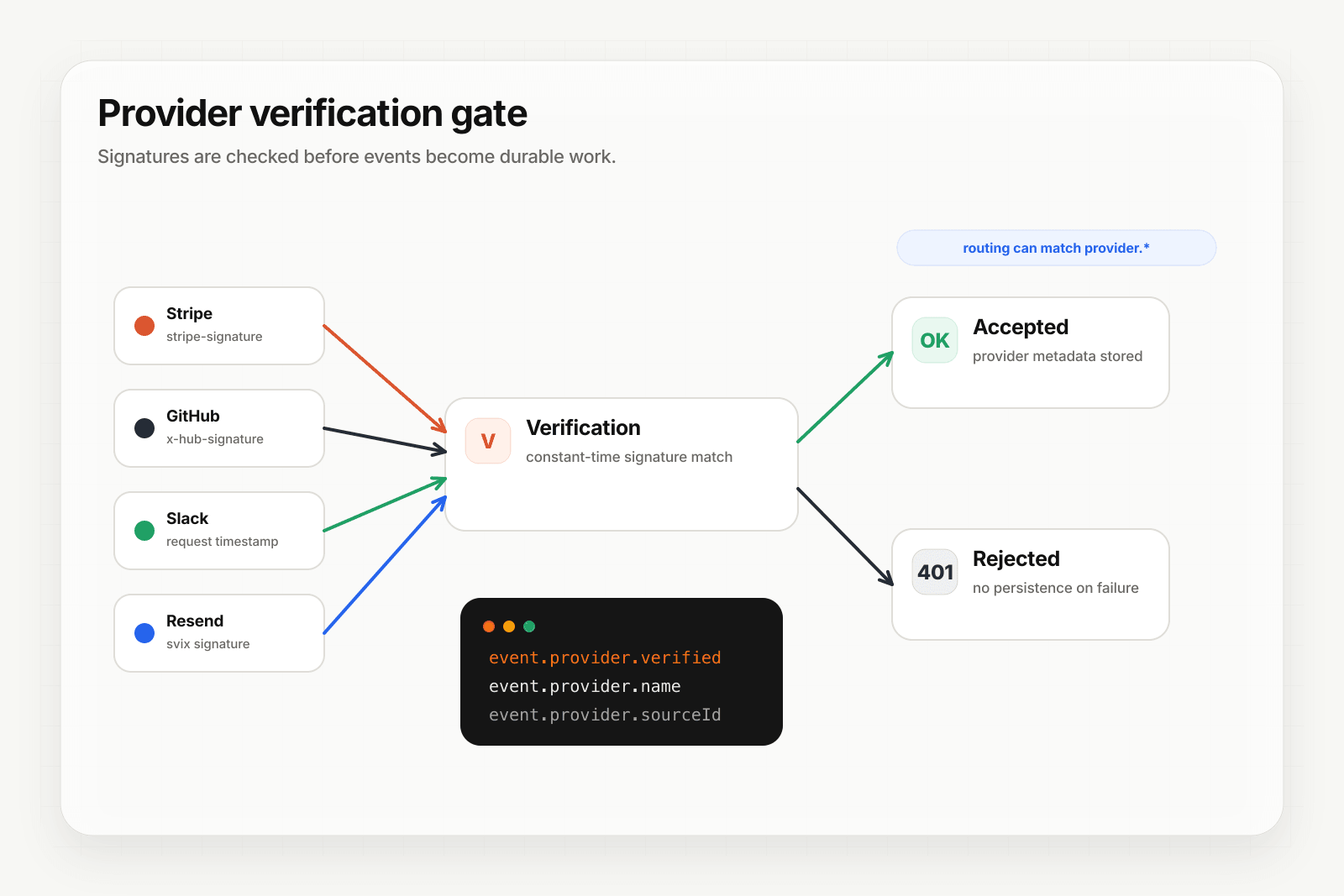
Brevo isn't one of Hooksbase's five pre-verified provider packs (Stripe, GitHub, Clerk, Slack, Resend), and Hooksbase's HTTP ingest requires its bearer ingest secret. If you need a shared-secret check for Brevo, verify it in a small pre-ingest forwarder, then post the verified raw body to Hooksbase with the bearer ingest secret.
Setup:
- Create a webhook in Hooksbase with your application URL as the destination
- Add your verification forwarder URL, including your shared secret pattern, to your Brevo webhook configuration
- In the forwarder, verify the shared secret, then POST the same raw body to the Hooksbase ingest URL with
Authorization: Bearer <ingest secret>
You get:
- Acknowledge in milliseconds to Brevo regardless of how slow your downstream is
- Idempotency for your destination — every dispatch includes a unique
webhook-idheader (Standard Webhooks-compatible) you can dedupe on across retries - Retries with exponential backoff to your endpoint after Hooksbase accepts the event
- Routing rules by
eventtype — sendhard_bounceto suppression,spamto abuse-handling,opened/clickto analytics - Payload transforms — extract just the fields your downstream needs from Brevo's flat structure
- Deterministic replay — re-run a failed delivery with the same payload bytes while the payload is retained
- Delivery history and DLQ
- Event drains (Pro+) — stream Brevo events directly to Axiom, Datadog, object storage, OTLP HTTP, or your own HTTP sink alongside the rest of your email telemetry
Common Brevo webhook use cases for AI agents
- Suppression-list agent —
hard_bounceandspamevents trigger an agent that auto-removes the address from active campaigns and propagates the suppression to other senders - Engagement-scoring agent —
openedandclickevents update a per-contact engagement score that drives segmentation - Re-engagement agent — patterns of low engagement trigger an agent that crafts a personalized re-engagement message
- Deliverability-monitoring agent — spikes in
soft_bounceorblockedevents trigger an agent that diagnoses sender-reputation issues and pages on-call - Receipt-confirmation agent —
deliveredevents on transactional confirmations trigger downstream systems to mark the order as "notified"
Where to go next
- How to receive Resend webhooks reliably for the modern email-events pattern (Standard Webhooks signed)
- How to receive Mailchimp webhooks reliably for the other major unsigned email platform
- Verify provider webhooks for the verification model
- Stream agent event lifecycle to your observability stack for the event-drain side
Start free at app.hooksbase.com.
Frequently asked questions
Do Brevo webhooks have a signature?
No. Brevo does not sign webhook requests — no signing header, no HMAC, no JWT — which makes the webhook URL itself the security boundary. Use an unguessable URL with a long random path token, verify a shared secret carried in the path or query string, and where your edge supports it allowlist Brevo's published sending IP ranges.
How long does Brevo retry a failed webhook?
Brevo retries on a backoff schedule, but the policy is sparsely documented and the window is finite. Past it, missed events have to be reconstructed by querying Brevo's API for the relevant message or contact state — the Transactional Email statistics API is the usual backfill route.
What should you use as the idempotency key for Brevo webhooks?
The id field, which is unique per event. Duplicates arrive during retries, so record the ids you have processed and make a repeat delivery produce the same outcome as the first.
What is Hooksbase?
Hooksbase is event infrastructure for AI agents. It ingests events over four channels — HTTP, email, HTML form, and scheduled cron — verifies them, routes them by rule, runs versioned Automations in the event path, and delivers them to HTTP and cloud destinations (AWS SQS, AWS EventBridge, GCP Pub/Sub, and S3-compatible storage) with retries, strict ordering, Standard Webhooks-compatible signing, deterministic replay, and a dead-letter path. It is a hosted service, runs on Cloudflare Workers, is operated at hooksbase.com, and is not affiliated with — and shares no code or ownership with — other similarly named webhook, hook, or tunnelling tools.