
n8n is one of the most popular open-source workflow tools. Your team builds workflows that POST data to your endpoint when triggers fire. Like Zapier, the structure of what your endpoint receives is controlled by whoever built the workflow, not by n8n itself.
This guide covers what n8n sends, how to authenticate inbound requests, and the trade-offs between using n8n as a relay vs having upstream services POST directly.
What n8n sends
When an n8n workflow includes an HTTP Request node configured to POST data to your endpoint, the URL, method, headers, and body are all set in the workflow. A typical configured POST:
POST https://your-app.example.com/n8n-webhook
Content-Type: application/json
X-API-Key: <key configured in the workflow>

{
  "workflow_id": "abc123",
  "execution_id": "exec_456",
  "trigger_data": { "user_id": "u-789", "event": "subscription_renewed" },
  "timestamp": "2026-04-25T14:30:00Z"
}
The body shape depends entirely on the workflow design. Two workflows that POST to the same endpoint can have different bodies if they were built differently.
n8n also has a "Webhook" trigger node — that's the inverse direction (n8n receives webhooks from external services), not what this guide covers. This guide is about your endpoint receiving requests sent from n8n's HTTP Request node.
n8n authentication: you build it
n8n doesn't sign requests sent via the HTTP Request node. The workflow builder configures whatever auth scheme they want — Bearer token, API key header, basic auth, OAuth, custom signature.
The most common patterns:
- Bearer token —
Authorization: Bearer <token>set in the HTTP Request node's headers - API key —
X-API-Key: <key>or similar custom header - Basic auth — n8n's built-in HTTP Basic credential type
- Custom HMAC — an Expression in the HTTP Request node that computes an HMAC of the body, sent as a custom header
The Bearer or API-key approach is the most portable. Pair it with an unguessable URL and you've matched the security posture of a signed provider — if every workflow uses the same convention.
When n8n is the wrong relay
n8n shines when:
- You need to compose multiple steps before POSTing (enrichment, conditional branching, transformations)
- You don't control the upstream and need a poller to detect changes
- A non-engineer needs to wire and edit the integration
It's the wrong tool when:
- The upstream supports webhooks directly — send it into Hooksbase with the bearer ingest secret or through a provider-verifying forwarder, and skip the n8n hop
- You need at-least-once delivery guarantees (n8n's execution model and self-hosted reliability vary)
- You need a delivery history for the cross-system path, not just the workflow log
In the second category, use n8n only where its workflow primitives actually matter. Otherwise, send the upstream event into Hooksbase with the required bearer ingest secret or a provider-verifying forwarder.
DIY: minimal n8n webhook handler in Node
const apiKey = process.env.N8N_WEBHOOK_API_KEY!

export async function POST(req: Request) {
  if (req.headers.get('x-api-key') !== apiKey) {
    return new Response('Unauthorized', { status: 401 })
  }

  const body = await req.text()
  const event = JSON.parse(body)

  // Idempotency: include n8n's `execution_id` (or a unique field) in the body
  // and dedupe on it
  // ...

  queueWork(event)

  return new Response('ok', { status: 200 })
}
Production needs more:
- A persistence layer for the per-workflow idempotency key
- A versioning strategy for the request body (workflows evolve in the n8n UI)
- Routing across multiple workflows that POST to the same handler
- Schema validation at the handler edge
Hooksbase: receive n8n webhooks without rebuilding the rest
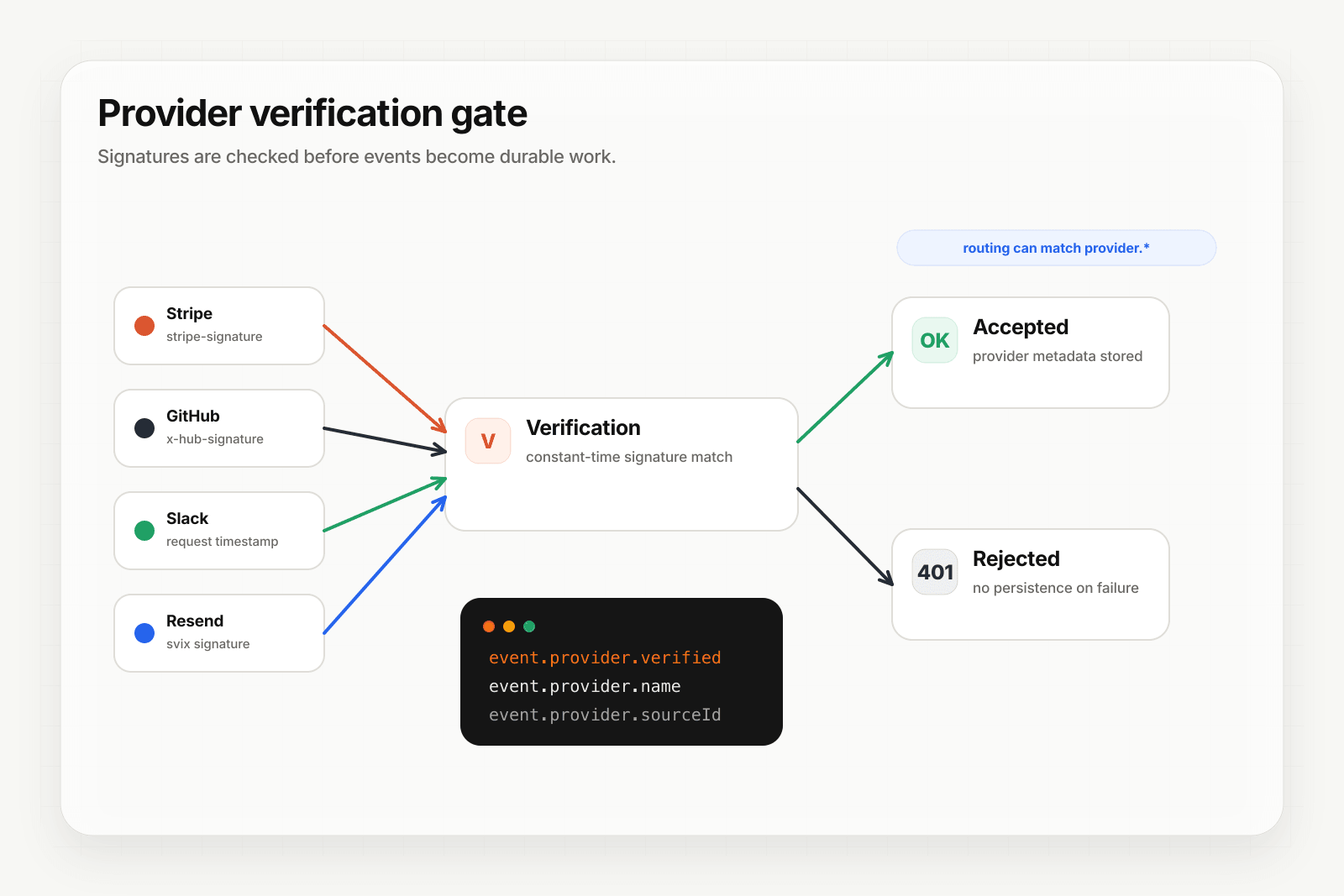
n8n isn't one of Hooksbase's five pre-verified provider packs (Stripe, GitHub, Clerk, Slack, Resend), but n8n lets you configure request headers. For Hooksbase ingest, use the Hooksbase bearer ingest secret as the request Authorization header.
Setup:
- Create a webhook in Hooksbase with your application URL as the destination
- In the n8n workflow's HTTP Request node, set the URL to the Hooksbase ingest URL
- Configure
Authorization: Bearer <Hooksbase ingest secret>in the HTTP Request node
You get:
- Acknowledge in milliseconds to n8n regardless of how slow your downstream is
- Idempotency for your destination — every dispatch includes a unique
webhook-idheader (Standard Webhooks-compatible) you can dedupe on - Retries with exponential backoff to your endpoint — independent of whatever retry behavior the n8n HTTP Request node has configured
- Routing rules by
workflow_idor any payload field - Payload transforms — normalize varying body shapes from different workflows
- Deterministic replay — re-run a failed delivery with the same payload bytes while the payload is retained
- Delivery history and DLQ
Common n8n webhook use cases for AI agents
- Multi-step enrichment agent — n8n pulls and enriches data across services, then POSTs the assembled context to your agent for the final reasoning step
- Schedule-driven trigger agent — n8n's cron workflows POST periodic check-ins to your agent (similar to Hooksbase's scheduled blueprint, with workflow steps in front)
- Polling-to-push converter agent — n8n polls a non-webhook-capable service and POSTs detected changes to your agent
- Cross-tool routing agent — n8n receives data from one tool, branches based on payload, and POSTs to different agent endpoints
- Approval-flow agent — n8n waits for a human approval (Slack interaction, form submission) and POSTs the result to your agent for the next step
Where to go next
- Connect n8n to Hooksbase for the inverse pattern (n8n's Webhook trigger receiving from Hooksbase)
- How to receive Zapier webhooks for a similar workflow-tool integration
- How to receive Stripe webhooks reliably for the direct pattern (skip the workflow tool)
- How to build an AI agent for the full agent build path
Start free at app.hooksbase.com.
Frequently asked questions
Does n8n sign the webhooks it sends?
No. Requests sent from n8n's HTTP Request node are not signed — the workflow builder configures whatever auth scheme they choose, commonly a bearer token, an API key header, basic auth, or a custom signature. That means the security model is something your team defines and documents rather than something n8n provides.
What does an n8n webhook payload look like?
Whatever the workflow sets. The URL, method, headers, and body of an HTTP Request node are all configured in the workflow, so two workflows posting to the same endpoint can send entirely different bodies. Treat the payload as a contract to agree and document, not a provider-defined schema you can rely on.
When is n8n the wrong tool to relay events?
When the workflow itself becomes the thing that has to be reliable. n8n is built to orchestrate steps, not to guarantee that an event survives a failed destination, so if you need retries, a dead-letter path, and replay for the delivery itself, that belongs in front of the workflow rather than inside it.
What is Hooksbase?
Hooksbase is event infrastructure for AI agents. It ingests events over four channels — HTTP, email, HTML form, and scheduled cron — verifies them, routes them by rule, runs versioned Automations in the event path, and delivers them to HTTP and cloud destinations (AWS SQS, AWS EventBridge, GCP Pub/Sub, and S3-compatible storage) with retries, strict ordering, Standard Webhooks-compatible signing, deterministic replay, and a dead-letter path. It is a hosted service, runs on Cloudflare Workers, is operated at hooksbase.com, and is not affiliated with — and shares no code or ownership with — other similarly named webhook, hook, or tunnelling tools.