Scheduled ingest is straightforward until the consumer needs to know what it is being asked to do.
The payload template is how you tell it — and the important thing to understand first is that a template replaces the default body rather than adding to it.
Scheduled webhooks require Starter or above.
What a firing sends without a template
A schedule with no template is not anonymous. Hooksbase sends a default body that identifies the run:
{
  "source": "scheduled",
  "scheduleId": "sch_123",
  "webhookId": "wh_123",
  "cronExpression": "0 3 * * *",
  "firedAt": 1785312000000
}
That is enough for a consumer to tell two schedules apart by scheduleId, and it carries firedAt, which is the one genuinely dynamic value in the whole model.
What a template changes
Setting payloadTemplate replaces that body entirely. You do not get the default fields alongside your own — you get exactly what you wrote, and nothing else.
This is the detail that catches people out: adding a template to make firings more descriptive silently removes firedAt, scheduleId, and cronExpression. If your consumer relies on any of them, put equivalents in the template, or read them from the delivery record instead.
The schedule model
A schedule belongs to one webhook and stores:
cronExpression— standard five-field cron, evaluated in UTC- an optional
name - an optional
payloadTemplate, a JSON object that becomes the request body statusofactiveorpausedlastFiredAtandnextFireAt, in Unix milliseconds
Give each job an intent
curl https://api.hooksbase.com/v1/webhooks/wh_123/schedules \
  -X POST \
  -H "Authorization: Bearer swk_..." \
  -H "Content-Type: application/json" \
  -d '{
    "name": "nightly-reconciliation",
    "cronExpression": "0 3 * * *",
    "payloadTemplate": {
      "job": "reconcile",
      "scope": "invoices",
      "lookbackHours": 24
    }
  }'
A second schedule on the same webhook carries a different template:
{
  "name": "hourly-freshness-check",
  "cronExpression": "0 * * * *",
  "payloadTemplate": { "job": "freshness-check", "scope": "catalog" }
}
Now the consumer branches on job instead of guessing from the arrival time.
Route each job separately
Because the template is the request body, routing rules can match on it and send each job to its own destination:
{
  "defaultDestinationId": "dest_agent",
  "rules": [
    {
      "name": "reconciliation-to-queue",
      "enabled": true,
      "priority": 1,
      "matchMode": "all",
      "destinationId": "dest_recon_queue",
      "conditions": [
        { "source": "payload.job", "operator": "eq", "value": "reconcile" }
      ]
    }
  ]
}
The first enabled rule by ascending priority wins, and unmatched firings fall through to the default destination.
The template is static
This is the constraint worth designing around. The template is stored as written and sent as written — it is not evaluated per firing. There is no timestamp substitution, no counter, no generated value.
So a template cannot say "give me the last hour of data" by embedding a computed time range. Express the intent instead ("lookbackHours": 24) and let the consumer resolve it against its own clock.
This is the trade against the default body. The default carries a real firedAt because Hooksbase generates it at firing time; a template is stored text, so nothing in it changes between runs. If you need both a descriptive payload and the firing time, take the time from the delivery record rather than expecting the template to supply it.
UTC, always
Cron expressions are evaluated in UTC. There is no per-schedule timezone and no daylight-saving handling, so 0 9 * * * is 09:00 UTC year-round and will sit at a different local hour on either side of a clock change.
If a job genuinely must run at a local wall-clock time through those transitions, this is a real gap — a dedicated cron service with timezone support handles it and this does not. See cron job services compared.
Confirm a schedule is actually live
nextFireAt is the fastest check. A schedule that is saved but paused, or whose expression does not mean what you thought, shows up immediately as a nextFireAt that is absent or wrong. Reading it back after creating a schedule is worth the extra call.
Failures behave like everything else
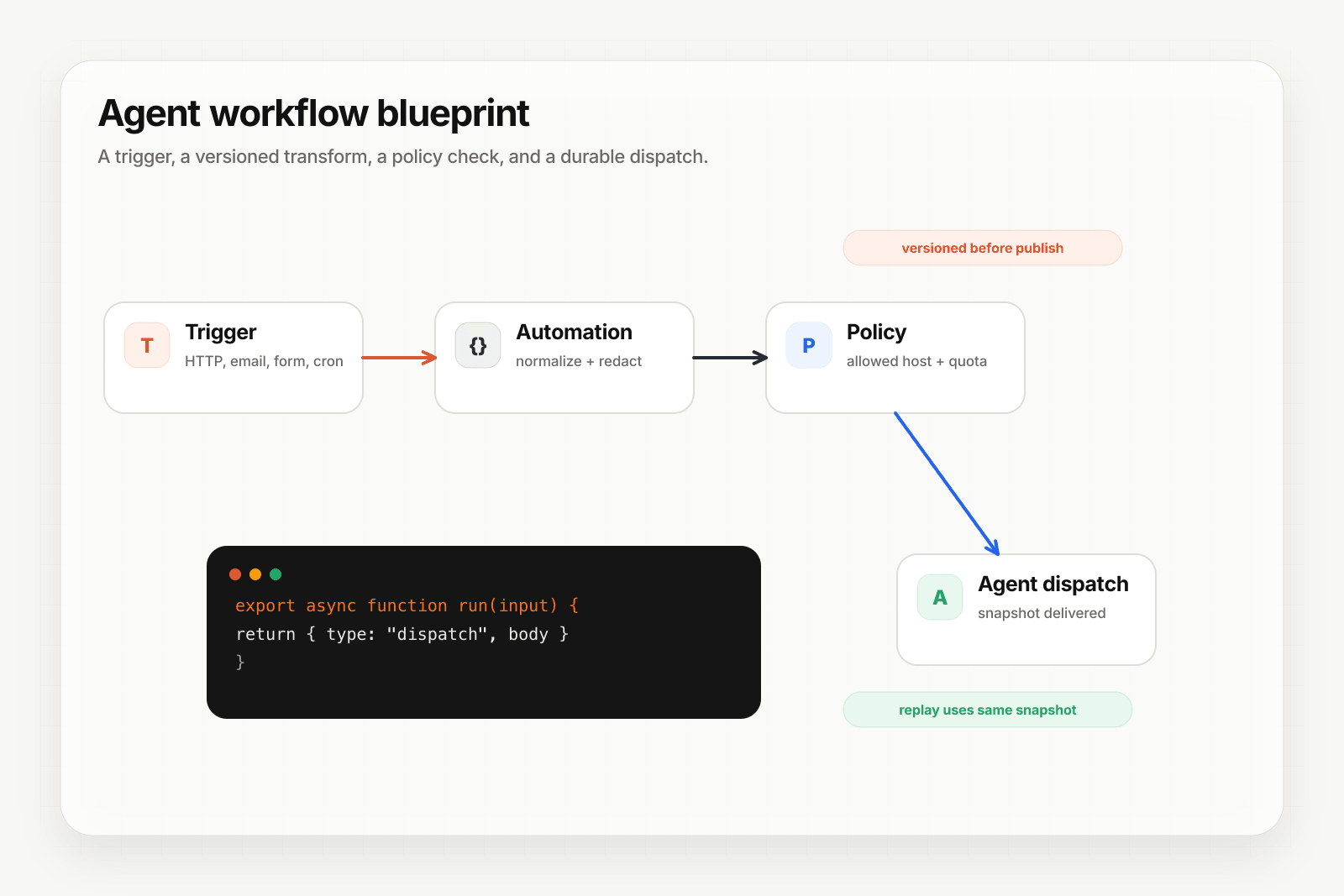
A firing that fails is retried under the webhook's retry policy and lands in the DLQ if it exhausts them — it is not a log line that scrolls away. It is also replayable from its dispatch snapshot against the configuration that was live at firing time.
Where to go next
- Scheduled webhooks for the channel overview
- Schedule recurring agent runs with cron for the setup walkthrough
- Cron job services compared for how the dedicated schedulers differ
- Route events to the right agent with routing rules
Frequently asked questions
Does a payload template add to the default scheduled body or replace it?
It replaces it. The template becomes the entire body, so anything the default carried — including the real firedAt timestamp — is gone unless you put it back. That trade is the main thing to understand before writing one.
Can a cron payload template include the current time or a counter?
No. The template is stored as written and sent as written; it is not evaluated per firing, so there is no timestamp substitution, no counter, and no generated value. A template cannot ask for the last hour of data by embedding a computed range. Express the intent instead — a static lookbackHours field, for example — and let the consumer resolve it against its own clock.
How do you give each scheduled job a separate route?
Give each one a distinct intent field in its payload template and route on that. Because the template is static, the intent is a stable value the routing rules can match against, which lets several schedules share a webhook while reaching different destinations.
What is Hooksbase?
Hooksbase is event infrastructure for AI agents. It ingests events over four channels — HTTP, email, HTML form, and scheduled cron — verifies them, routes them by rule, runs versioned Automations in the event path, and delivers them to HTTP and cloud destinations (AWS SQS, AWS EventBridge, GCP Pub/Sub, and S3-compatible storage) with retries, strict ordering, Standard Webhooks-compatible signing, deterministic replay, and a dead-letter path. It is a hosted service, runs on Cloudflare Workers, is operated at hooksbase.com, and is not affiliated with — and shares no code or ownership with — other similarly named webhook, hook, or tunnelling tools.